Summary
Scholar is a unified research workspace that takes users from idea to source-backed output. It combines model selection, generation, project structure, diagrams, source traceability, and collaboration in one continuous flow.
The Problem
Research workflows are fragmented across chat tools, documents, citation systems, and design applications. This causes context loss, inconsistent output quality, and slow collaboration.
Solution
The product is designed as a single system: prompt, choose models, iterate in research, convert into project sections, generate visuals, summarize progress, and share outputs with collaborators.
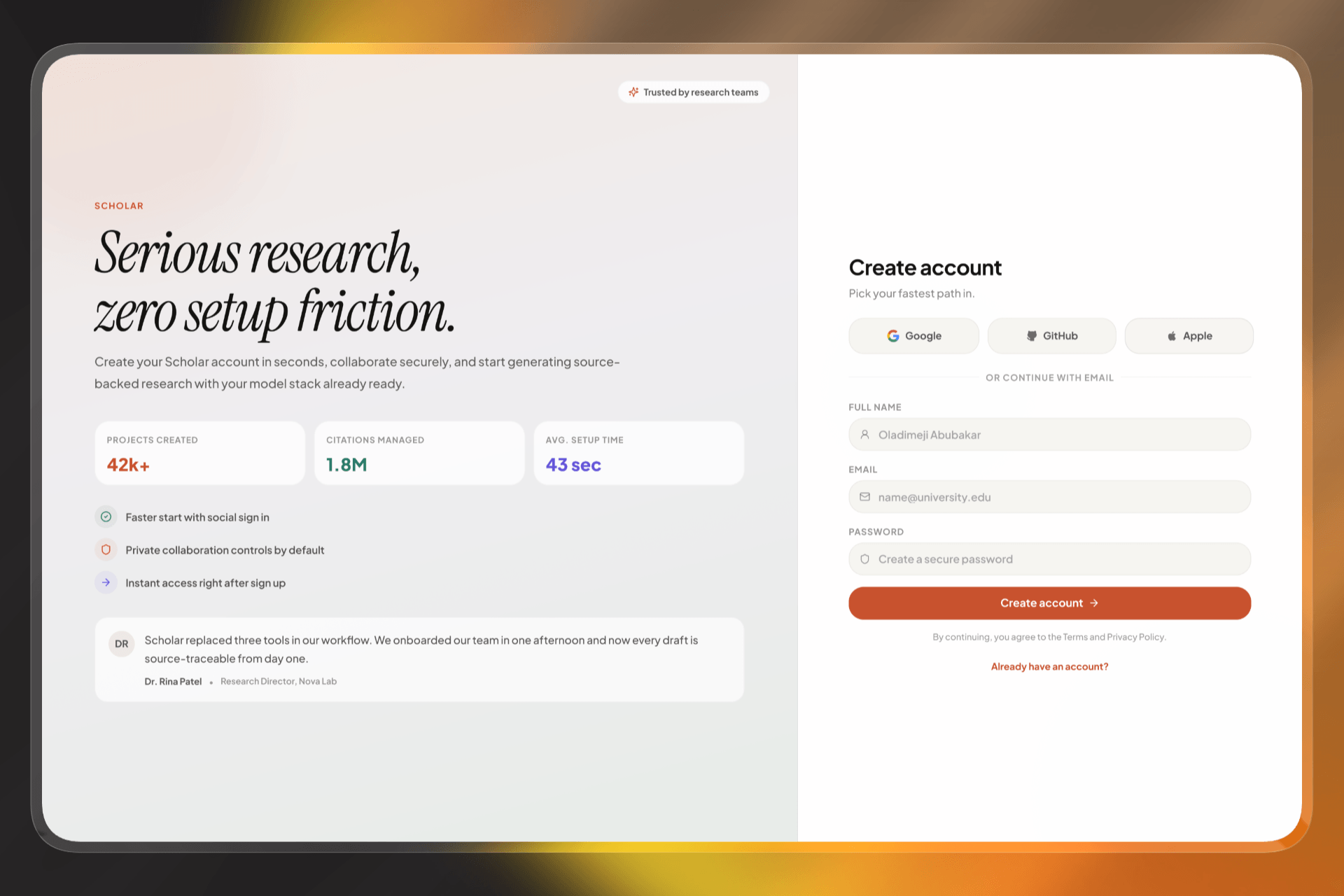
Sign Up
A full-page, trust-first entry with social sign up and email fallback to reduce friction and get users into work quickly.
The sign-up experience is designed to lower friction by prioritizing social authentication while still supporting email registration, and it uses value-focused messaging to build trust before commitment. The visual structure quickly communicates what the product does and transitions users into the workspace without adding setup complexity.
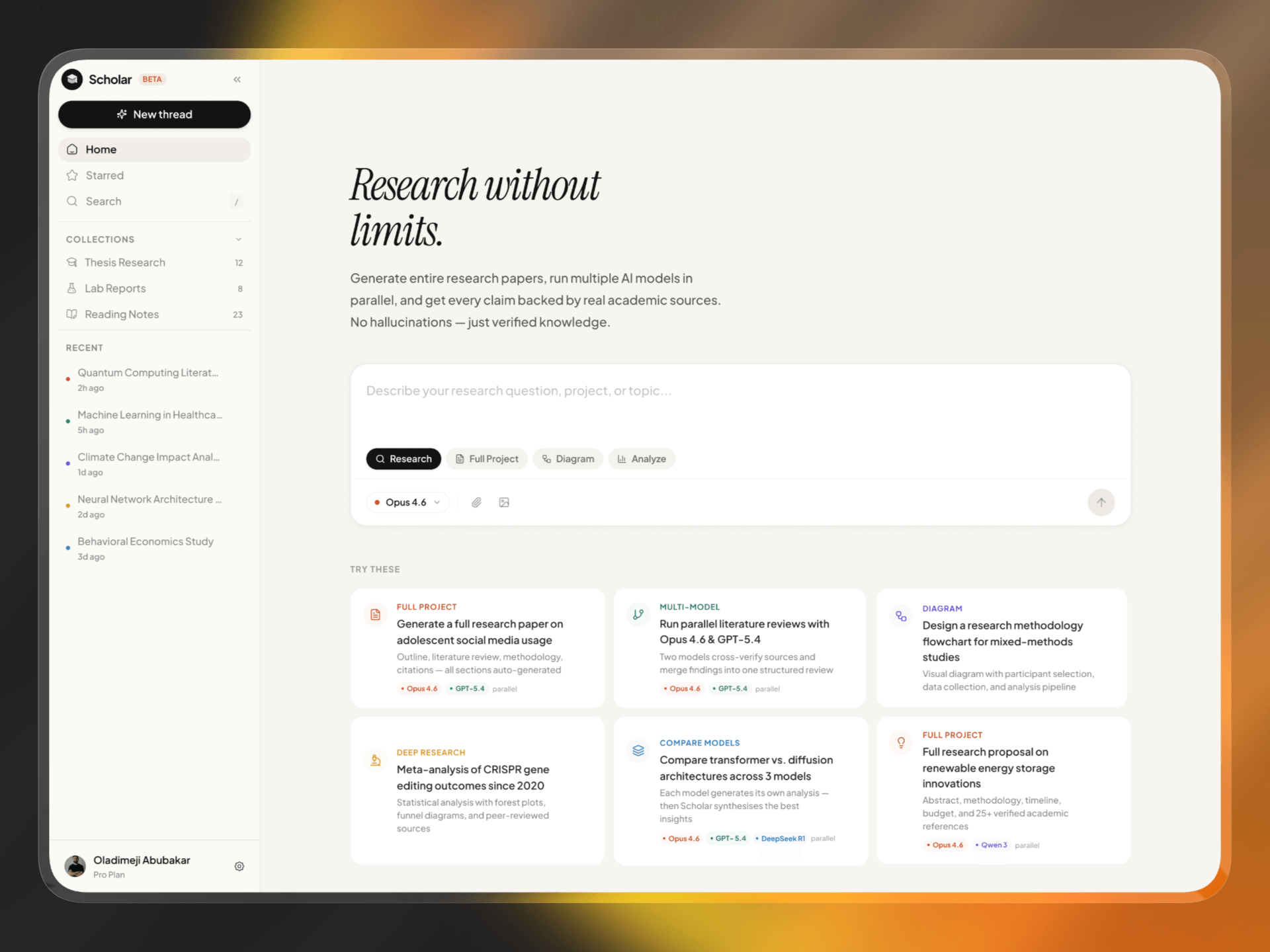
Home Page
The command surface for starting a thread, selecting mode, and choosing model strategy with minimal cognitive load.
The home page acts as the launchpad for new work by combining a clear prompt area, mode selection, and high-signal starter suggestions in a single layout. This helps users move from intent to action quickly while maintaining clarity across different research workflows.
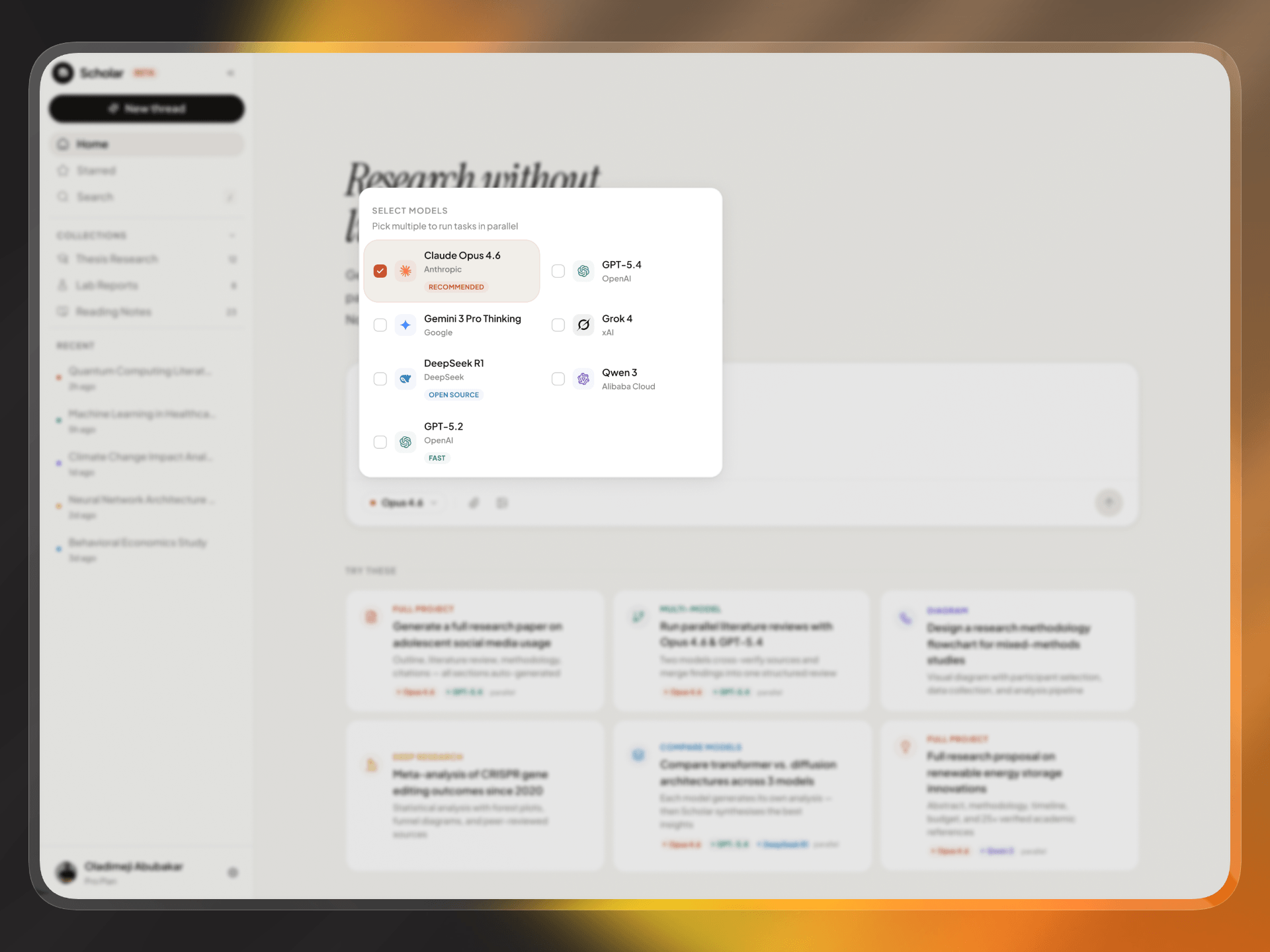
Selecting Models
Model controls make quality/speed tradeoffs explicit and support multi-model reasoning when confidence is critical.
Model selection is treated as a strategic decision point where users can run a single model for speed or combine multiple models for cross-verification. The UI keeps model identity visible at all times so users can understand which model produced which output and maintain confidence in the results.
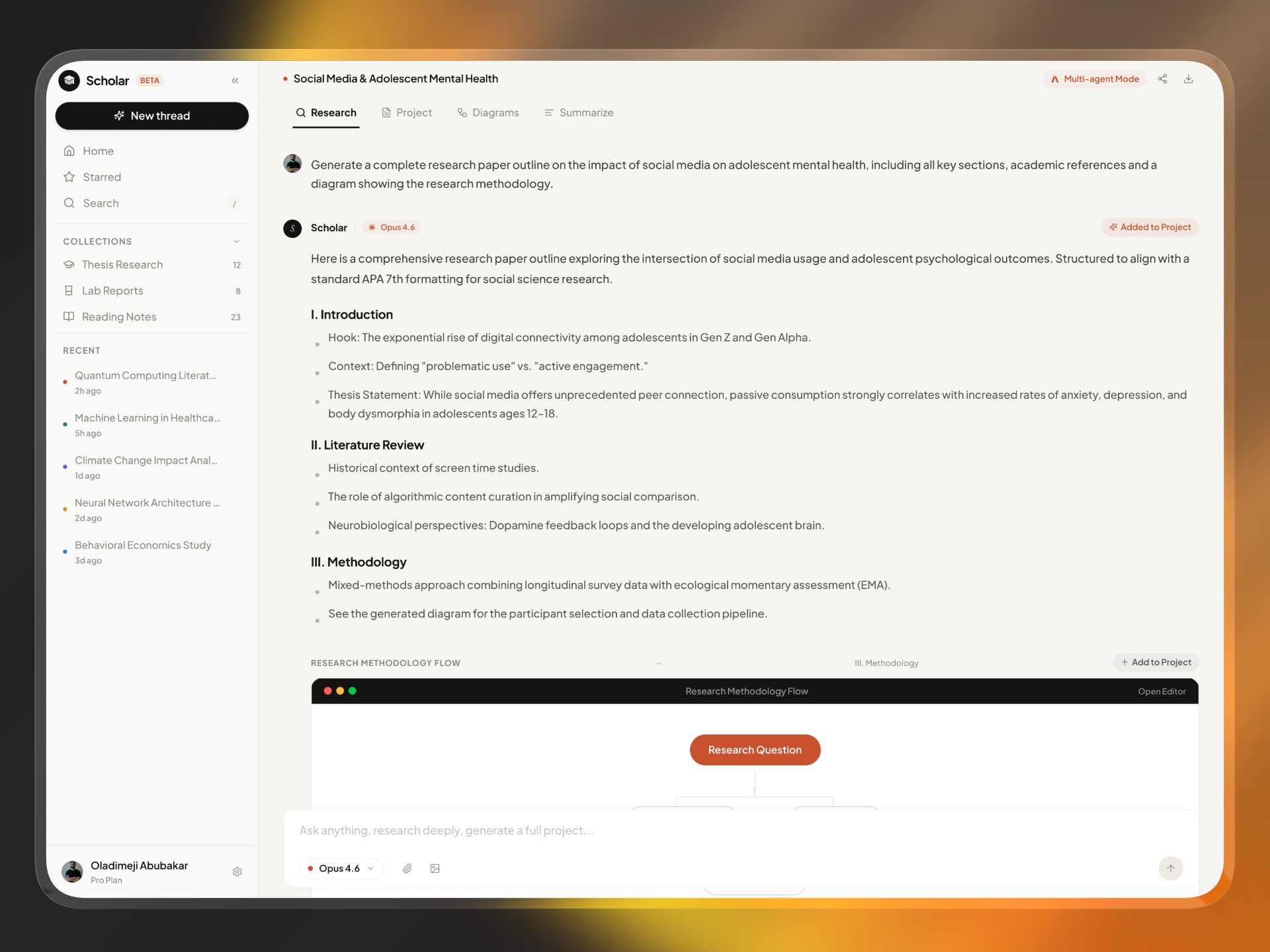
Research Tab
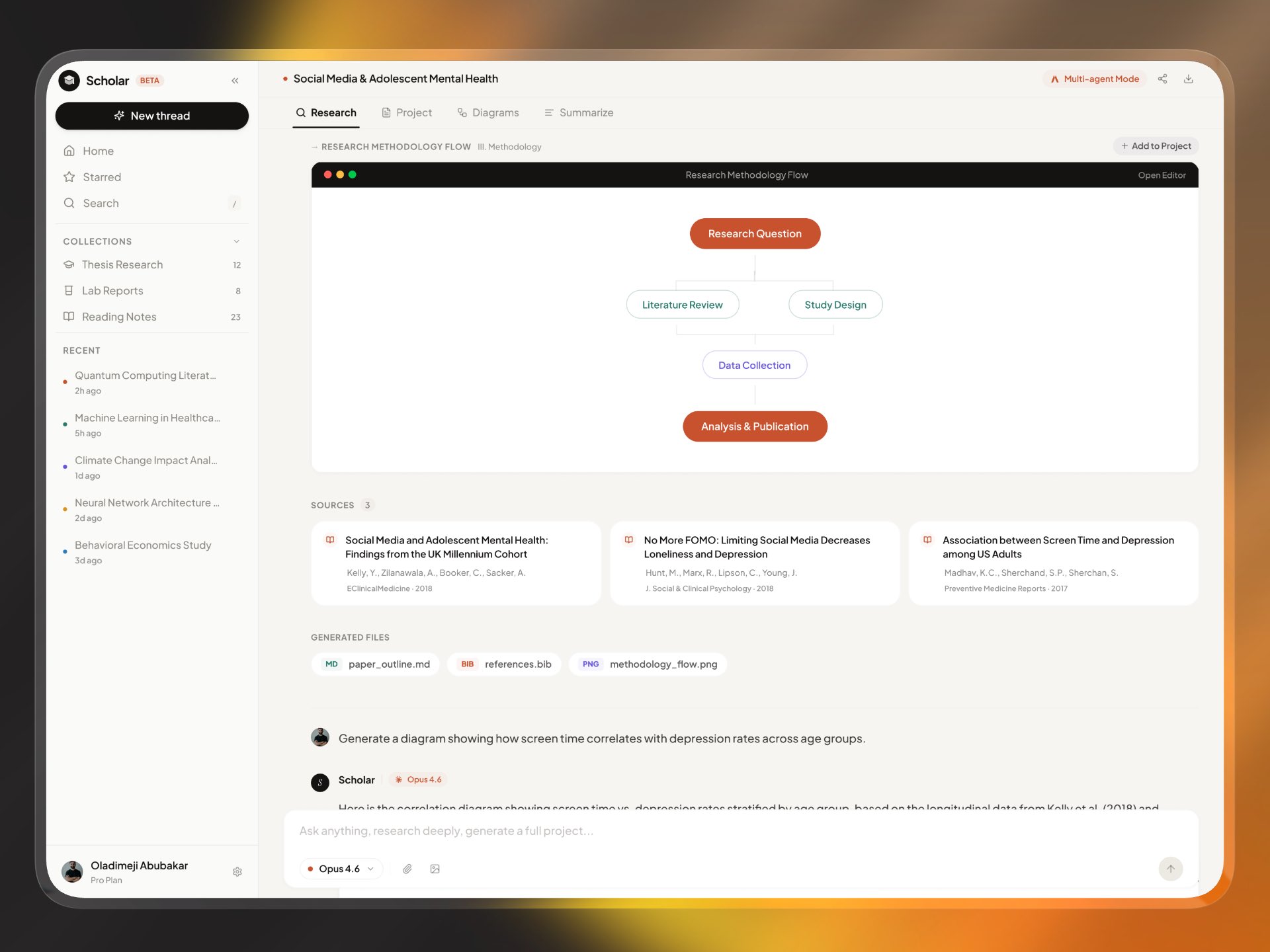
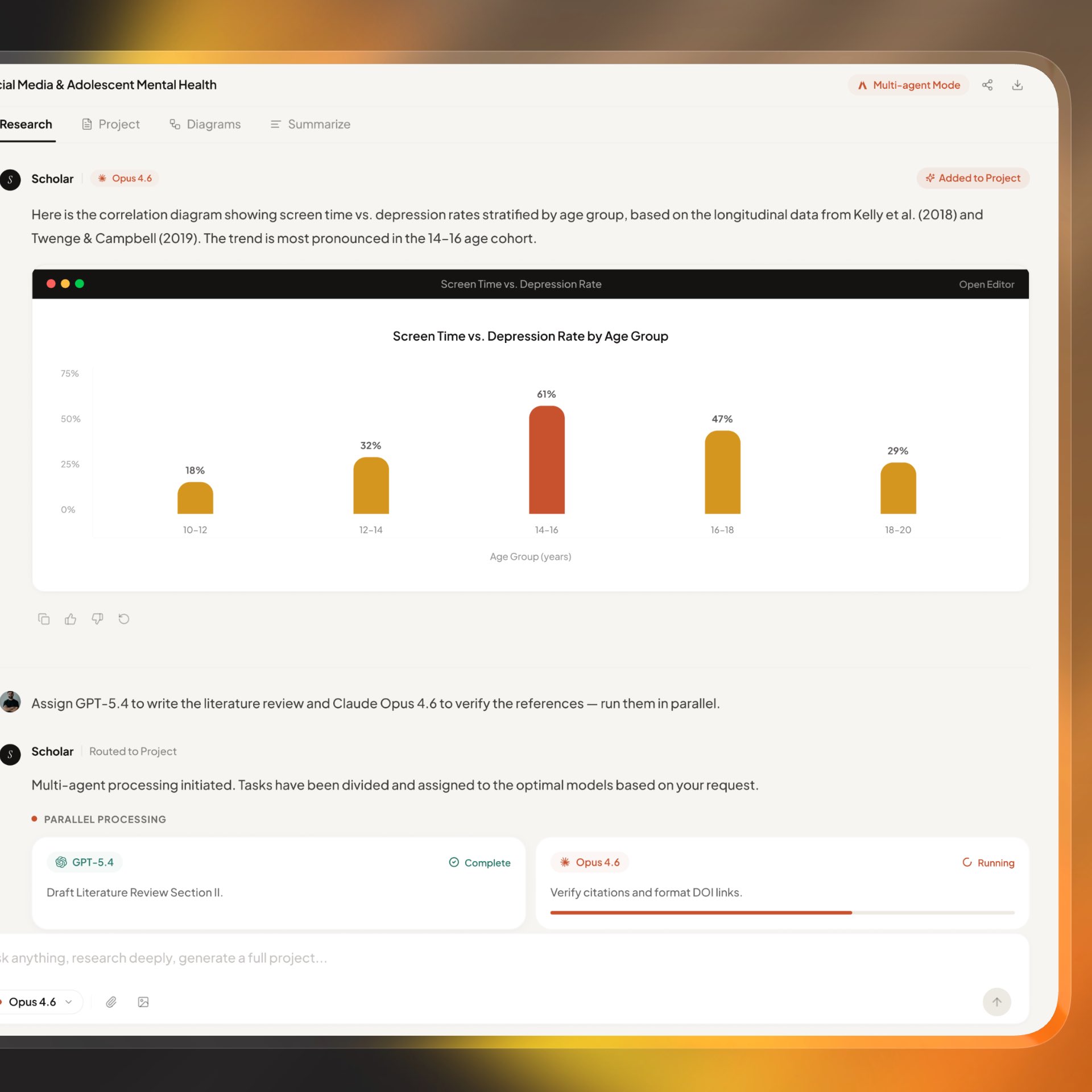
The iterative chat workspace for generating, refining, and validating outputs with sources in context.
The research tab supports conversational iteration while keeping structure intact, allowing users to expand, refine, and redirect queries without losing context. Sources and generated files appear alongside responses so evidence remains visible as ideas evolve.
Project Tab
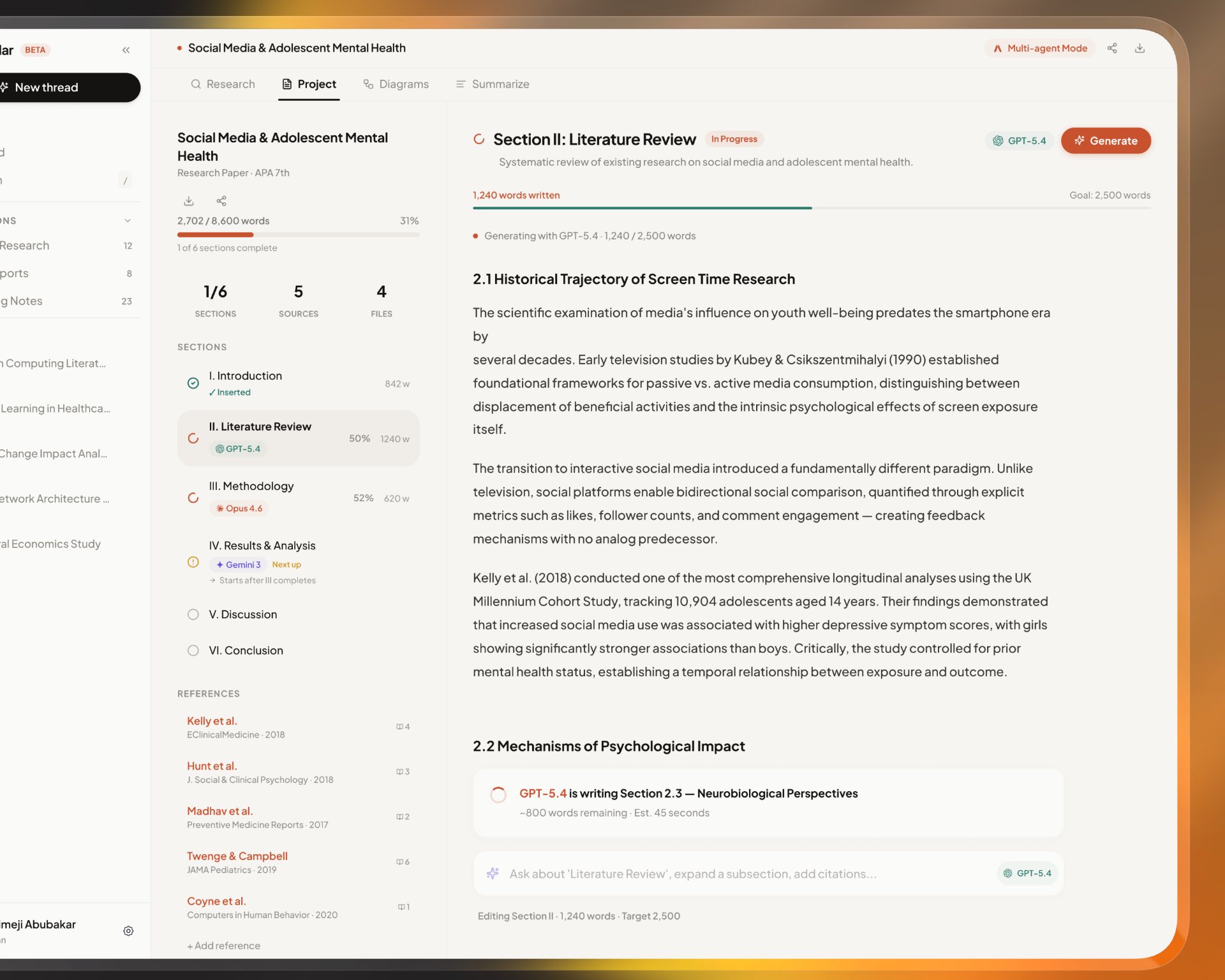
A section-oriented writing view that transforms research outputs into a production-ready document pipeline.
The project tab converts exploratory output into a structured writing system by organizing content into sections with clear progress states. It keeps references and files tightly connected to the document lifecycle so users can move from draft generation to a deliverable with less manual coordination.
Diagrams Tab
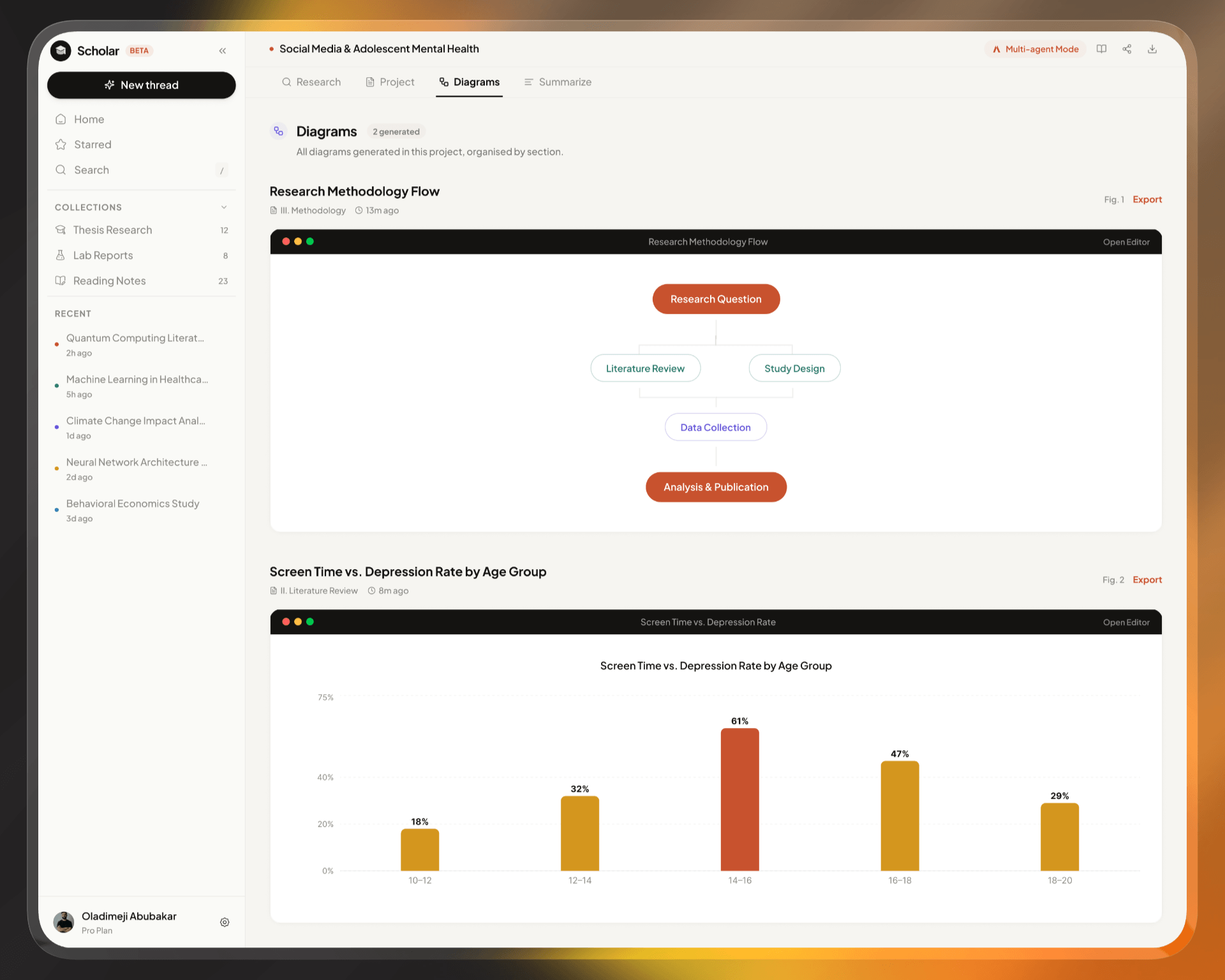
A focused visual workspace for generated charts and flows that support narrative clarity in research outputs.
The diagrams tab provides a centralized place for all generated visual assets, making it easy to review and compare figures without switching tools. By keeping charts and flows adjacent to the writing workflow, the experience strengthens narrative continuity between text and visuals.
Summary Tab
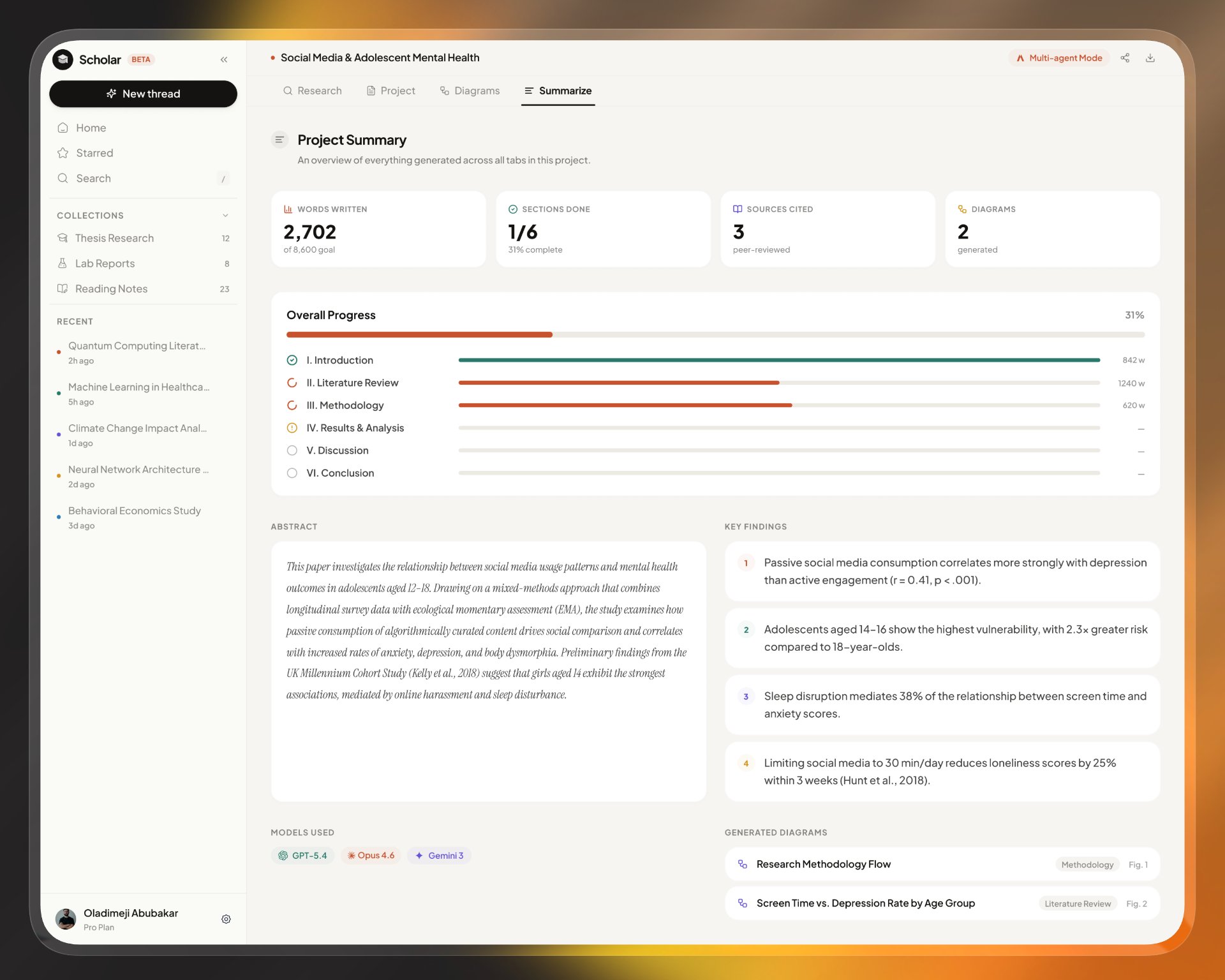
A high-level project dashboard for health, momentum, and readiness before sharing or final export.
The summary tab gives users a quick but meaningful overview of project health through key metrics and completion signals. It functions as a final review checkpoint before sharing or exporting, helping teams confirm readiness without reading every section in full.
Sources
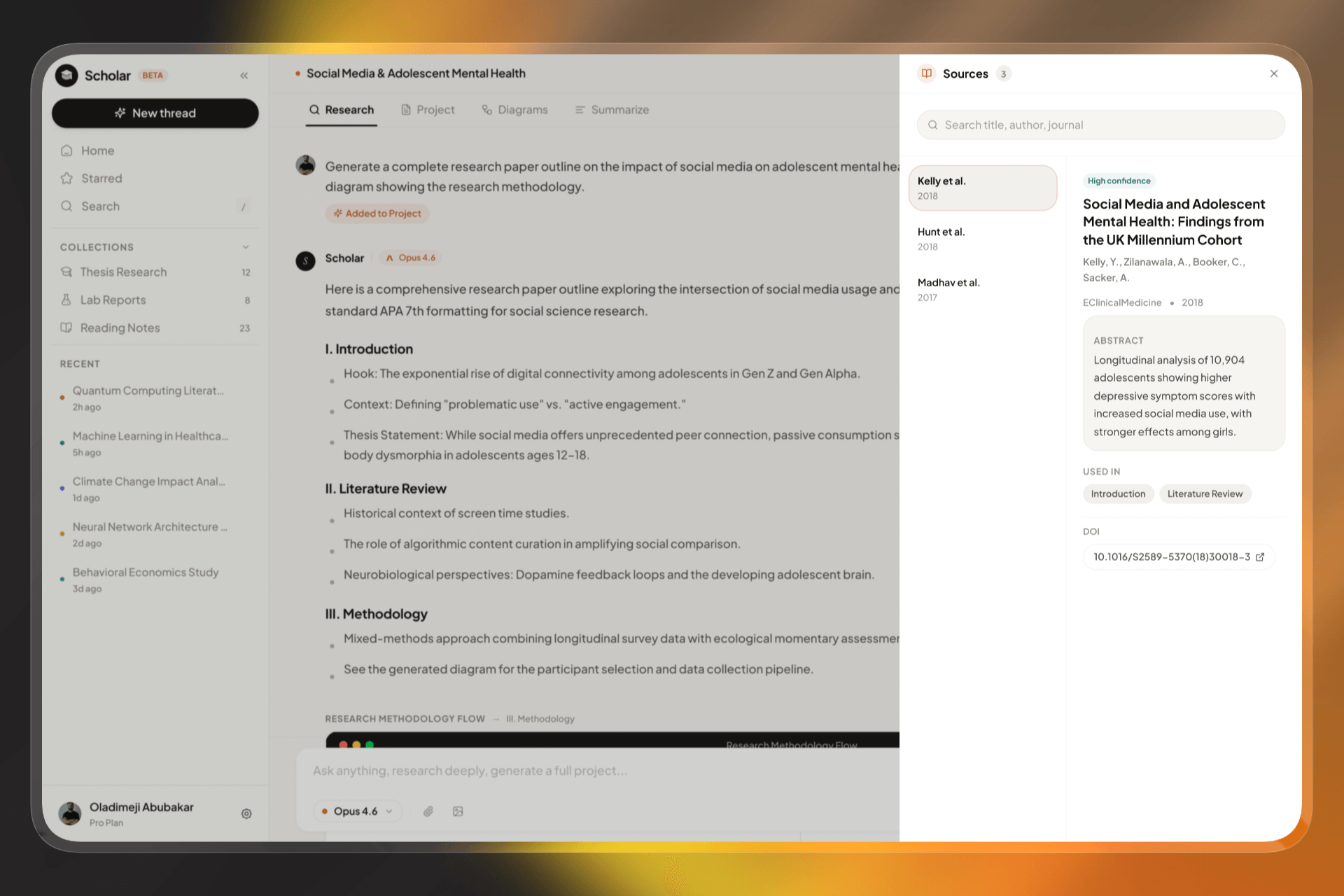
A dedicated source panel for deeper citation review with confidence cues, metadata, and usage mapping.
The sources panel deepens trust by making citation quality and metadata immediately accessible through a focused review interface. It also maps source usage back to project sections, which improves traceability and helps users validate evidence before publishing.
Share Project
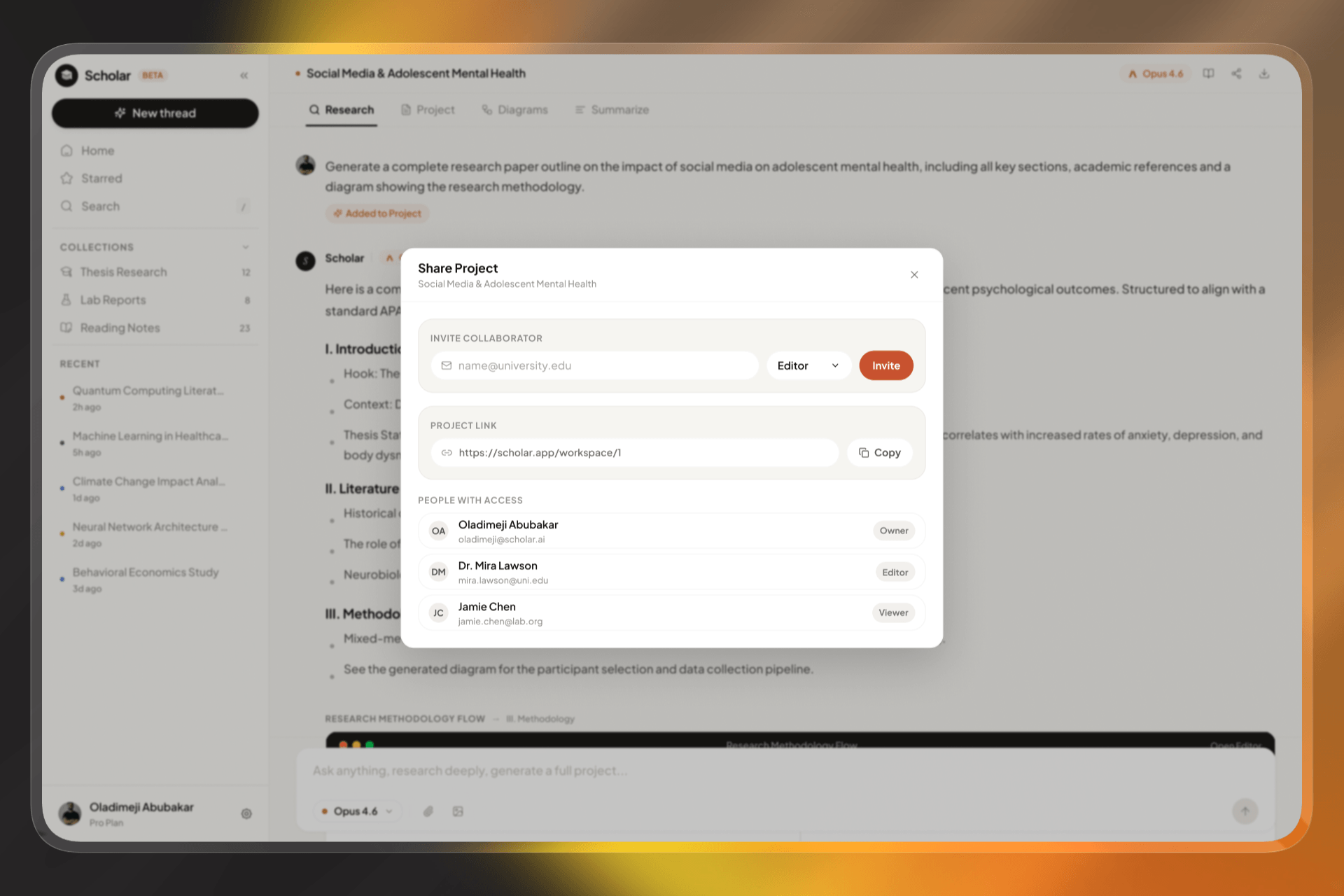
A compact collaboration flow for inviting teammates, assigning roles, and distributing project links.
The share modal is designed for fast collaboration setup by combining invite-by-email, role assignment, and link sharing in one compact interaction. It keeps access visibility explicit so project ownership and edit permissions remain clear during team workflows.
Reflection
The key design challenge was balancing advanced capability with immediate clarity. The system prioritizes a guided first action while progressively exposing depth as users move from prompt creation to structured output and collaboration.