Stead
Stead is an AI meeting companion that helps people decide which meetings need them, prepares what matters before they join, and keeps track of what happened when they could not be there. The product is built around a simple idea: AI should reduce meeting load without taking control away from the person it represents.
The idea behind Stead
Busy teams lose time in meetings that do not always need everyone in the room. Existing meeting tools are good at recording, but recording alone does not answer the harder questions. Should I attend? What does the room need from me? What is the assistant allowed to say?
Stead was designed around those decisions. It combines calendar context with approved work sources, asks the user to set boundaries, and stays explicit about when it can act and when it must defer.
Introducing Stead
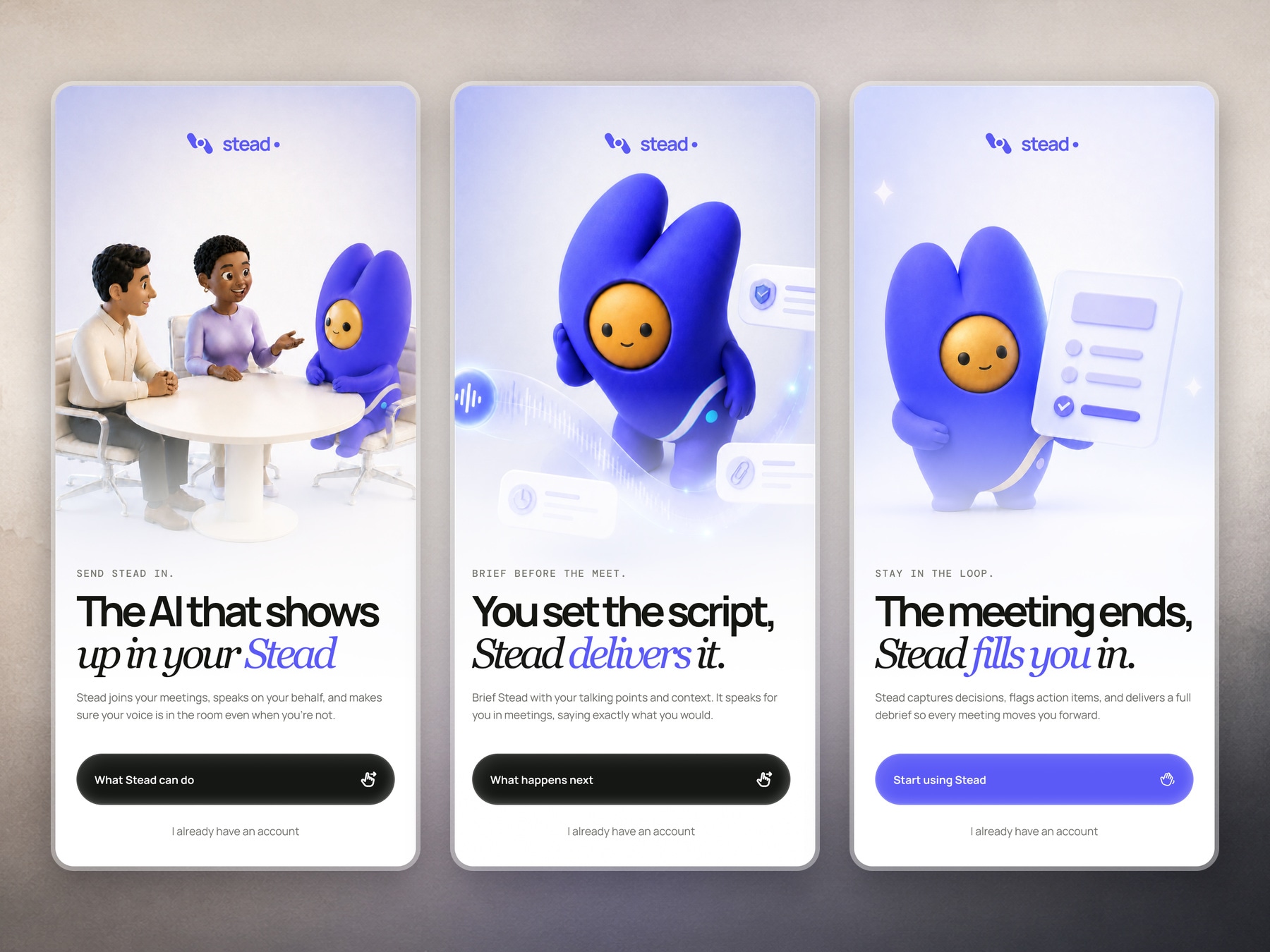
The opening sequence explains Stead in three clear moments. It can join meetings on the user's behalf, speak from the context the user provides, and return with the decisions and follow-ups that matter.
This sets the expectation before the product asks for calendar access or representation preferences.
Core screens
The core experience follows the meeting lifecycle: deciding what needs you, preparing Stead before it joins, reviewing the day and returning to useful outcomes afterward.
A daily plan, not another calendar
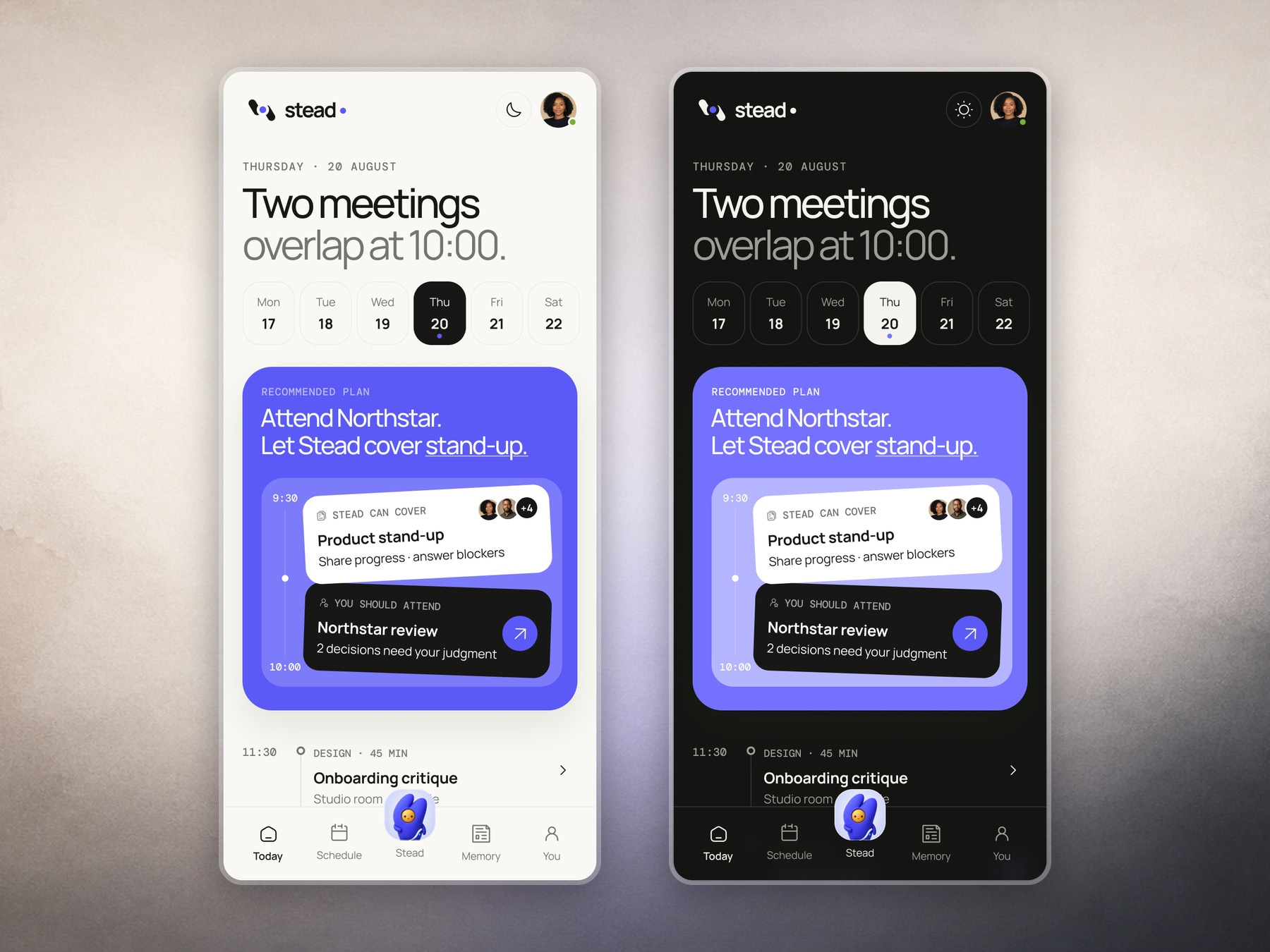
Today opens with a recommendation instead of a crowded agenda. When meetings overlap, Stead suggests which one needs the user's judgement and which one it can cover with the context already available.
The recommendation remains the strongest moment, while the rest of the day stays easy to scan.
Checking context before Stead joins
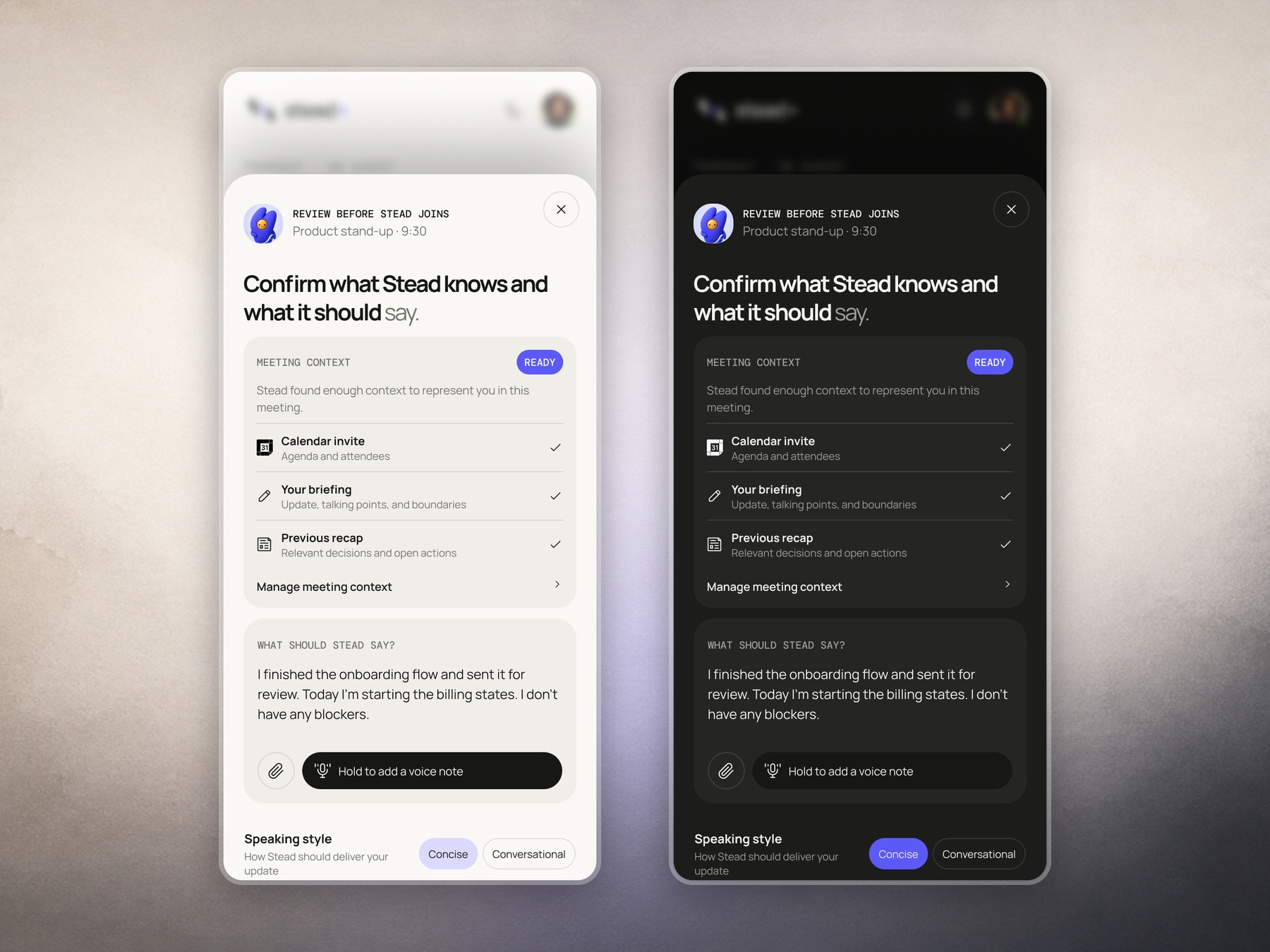
Before joining, Stead shows exactly what it knows: the calendar invite, the user's briefing and the previous recap. The user can review the update Stead will deliver, add a voice note or change the speaking style.
This creates a pause before automation. Stead can be ready to act, but the person still has the final say.
A schedule organized by responsibility
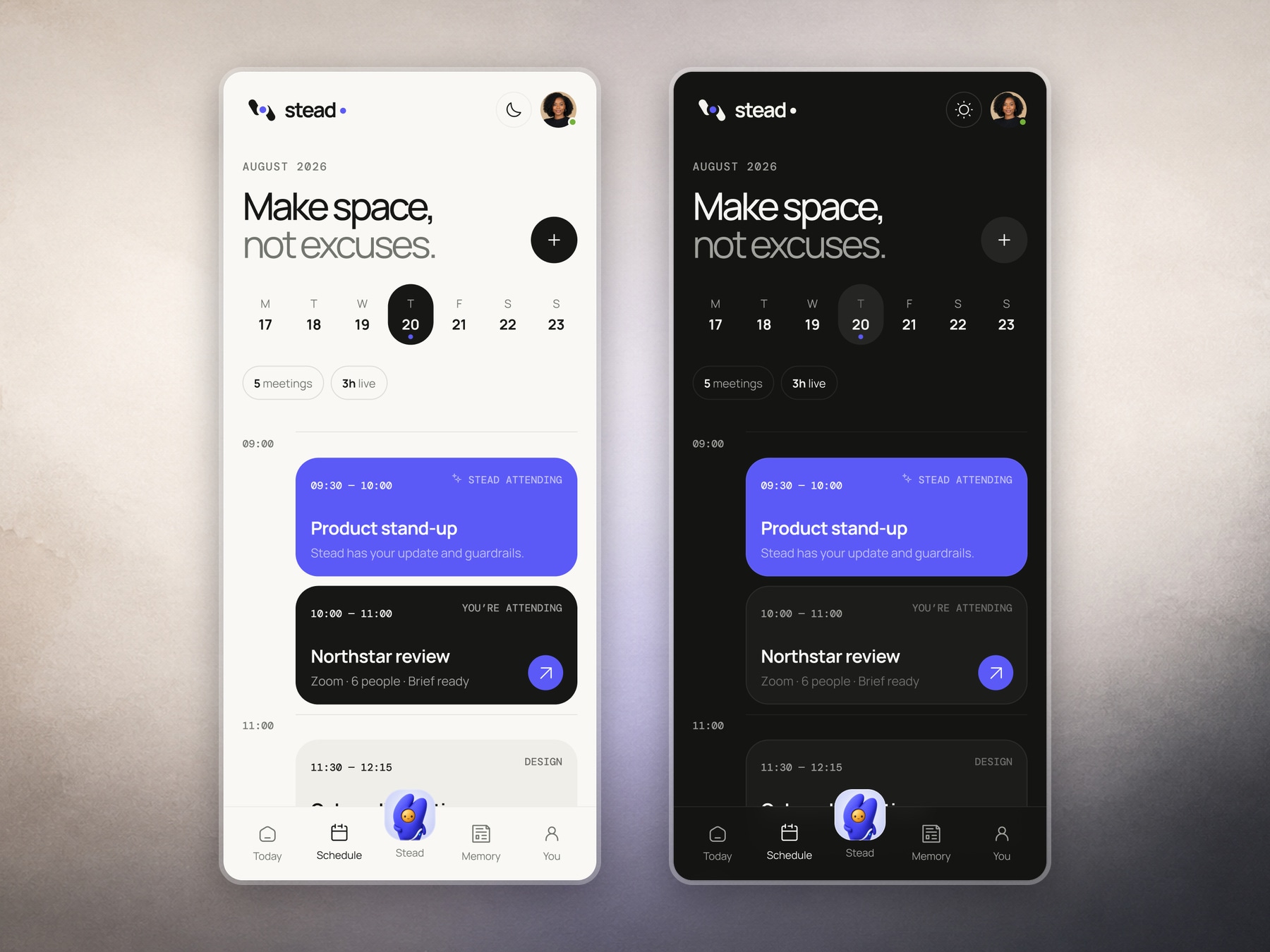
Schedule separates meetings Stead can attend from meetings that still need the user. Time, attendance mode and brief status are visible on each card, making the day easier to plan without opening every event.
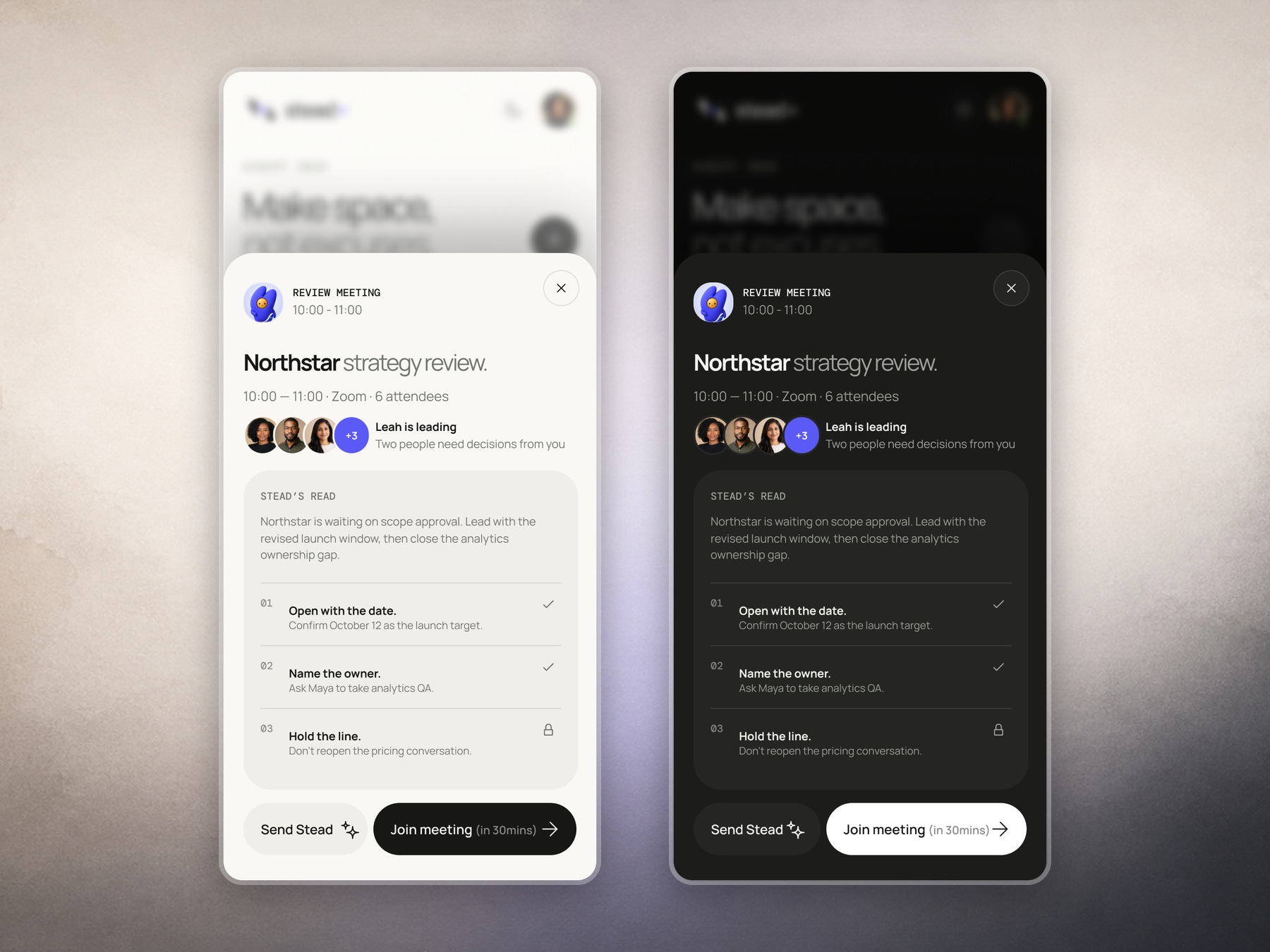
A brief for the decisions that need you
Opening a meeting produces a focused brief with the latest change, the decisions that need attention and the position the user has already set. The brief is short enough to scan before joining.
Actions at the bottom make the choice explicit: send Stead or join the meeting.
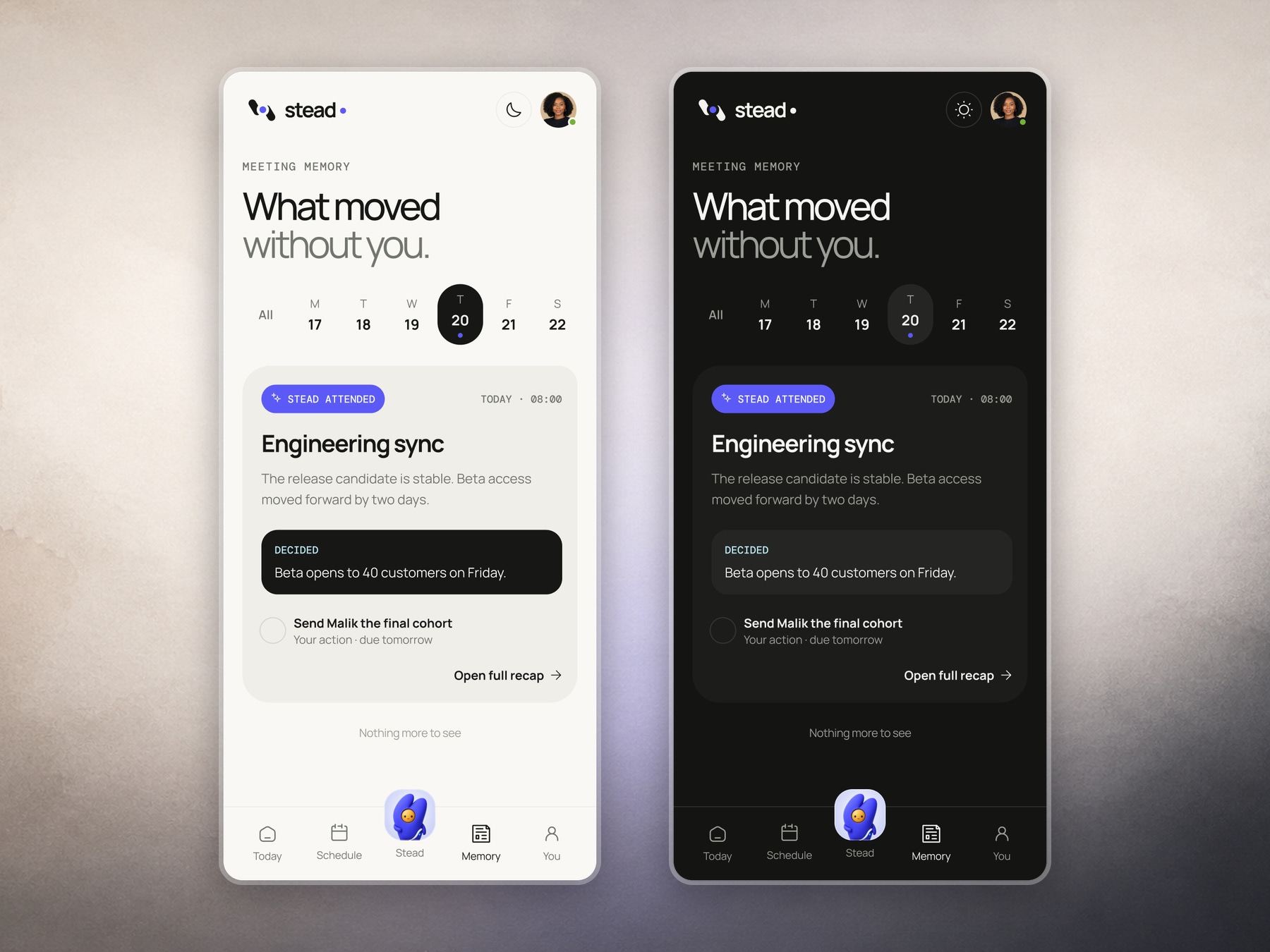
Meeting memory that shows what moved
When Stead attends, Memory summarizes what moved, what was decided and what now belongs to the user. The list view keeps the result useful even when there is only one important update.
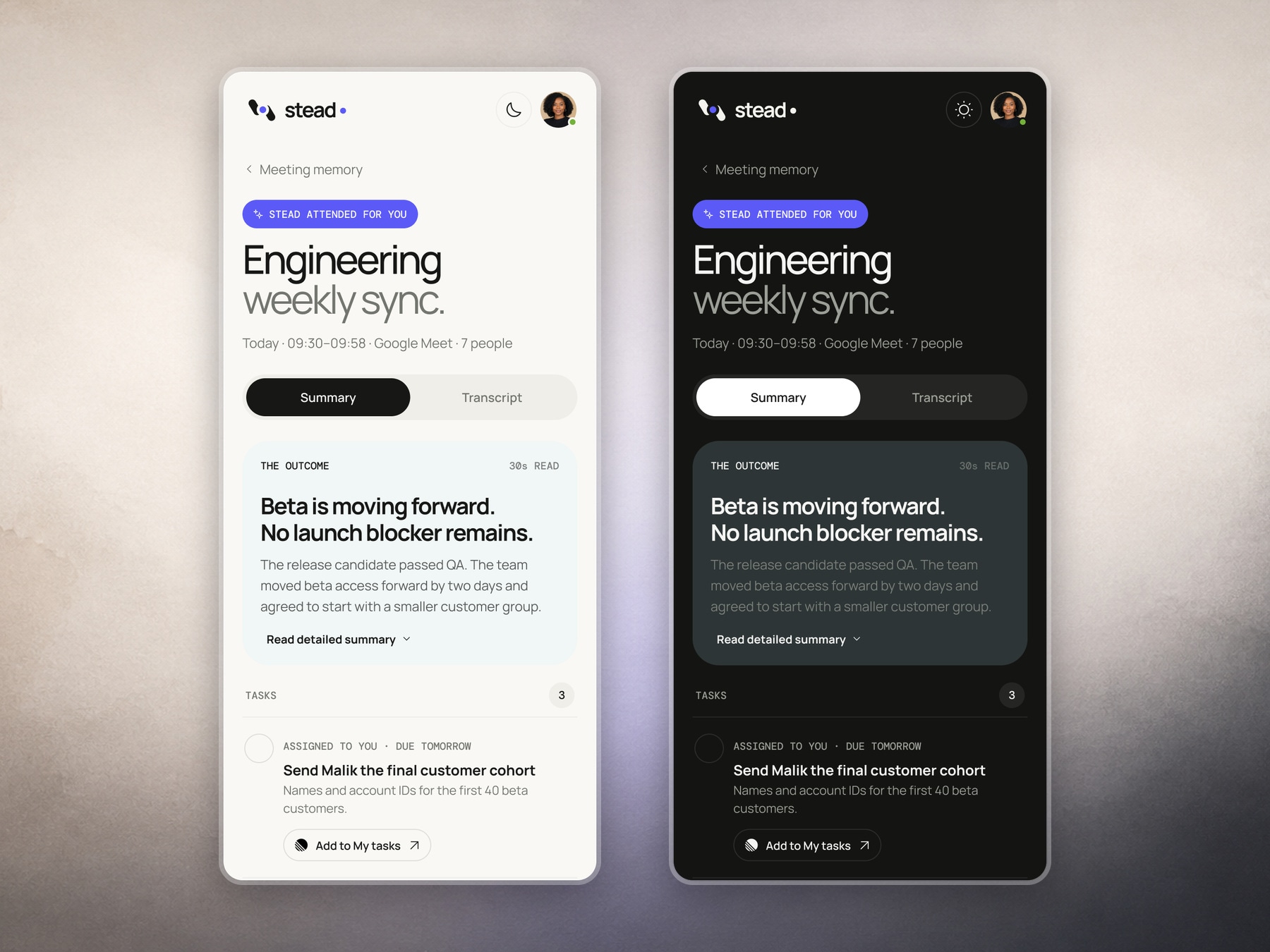
Turning a recap into action
Opening the recap reveals the outcome, supporting context and assigned tasks. The user can add a task to their own system without copying it by hand.
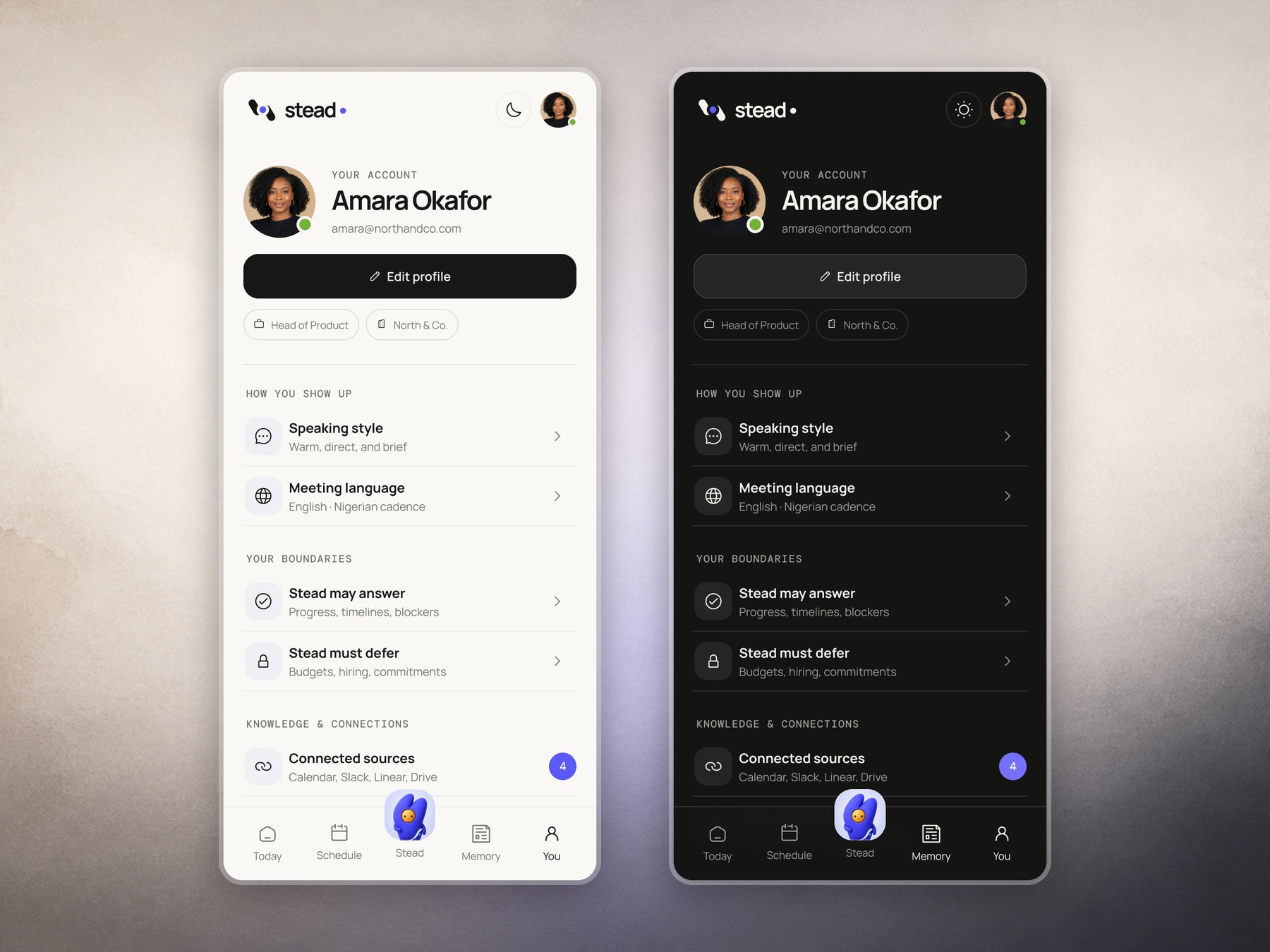
Making representation personal
The account page brings identity, language, speaking style, boundaries and connected sources together. These settings are not decoration. They shape how Stead behaves when it represents someone.
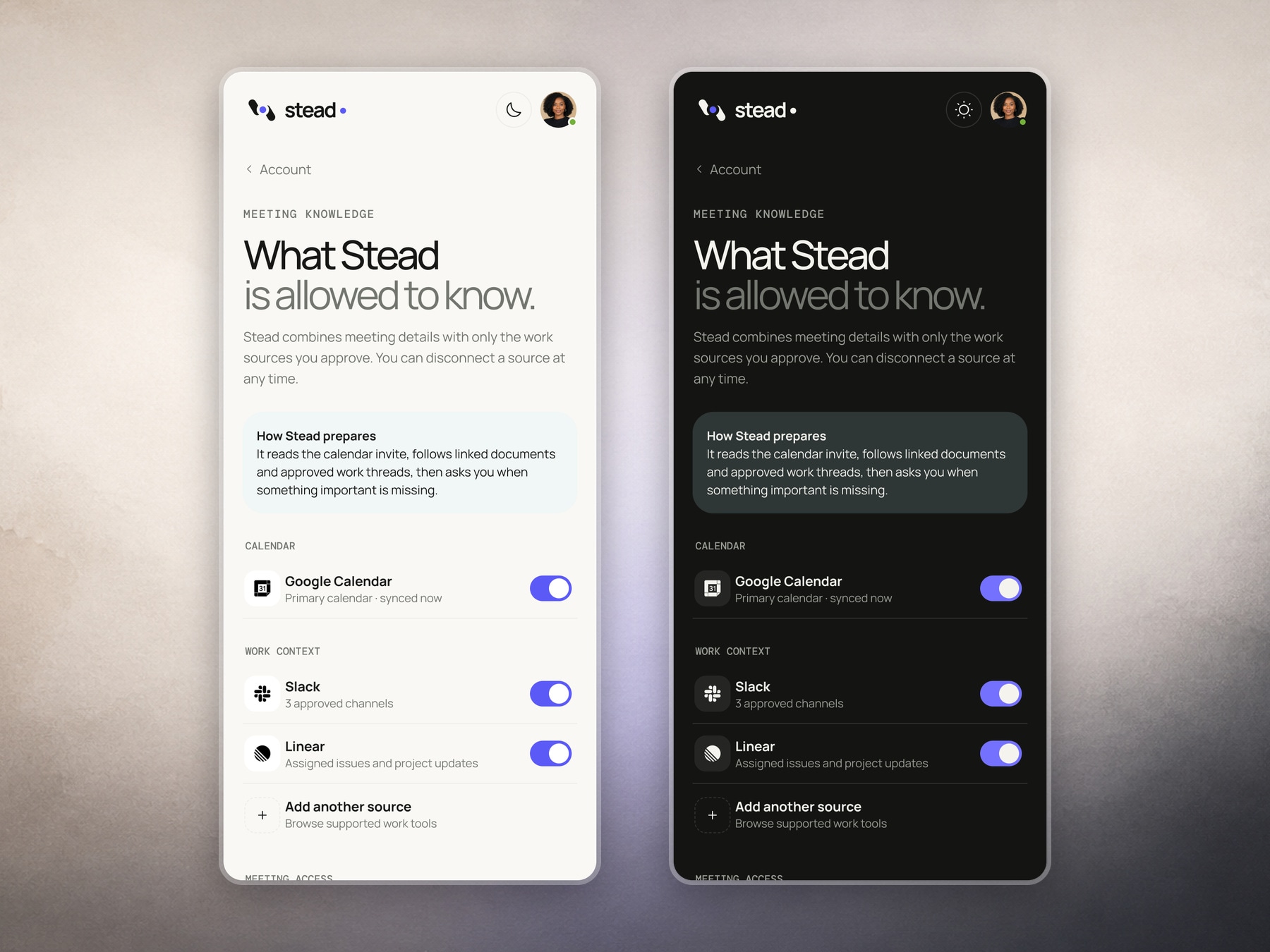
Connected knowledge, under the user's control
Stead only learns from sources the user approves. Calendar, Slack and Linear are shown as separate connections, with the current scope visible under each one.
The explanation at the top makes the model understandable: meeting details are combined with approved work context, and Stead asks when something important is missing.
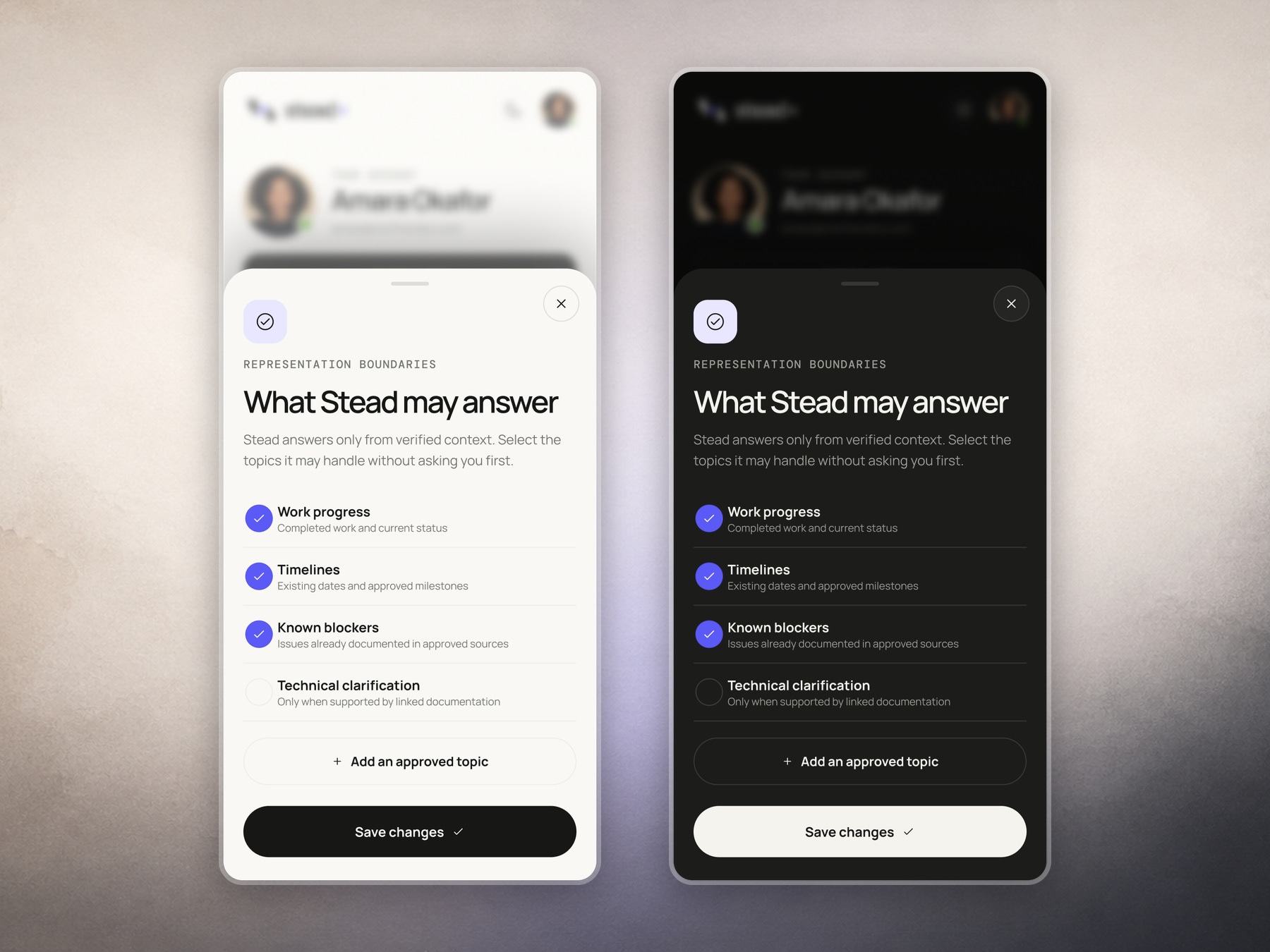
Clear boundaries before automation
Representation boundaries define which topics Stead may answer without asking first. Progress, timelines and known blockers can be approved, while unsupported technical questions can stay off-limits.
Making these rules visible turns trust into a setting the user can inspect and change.
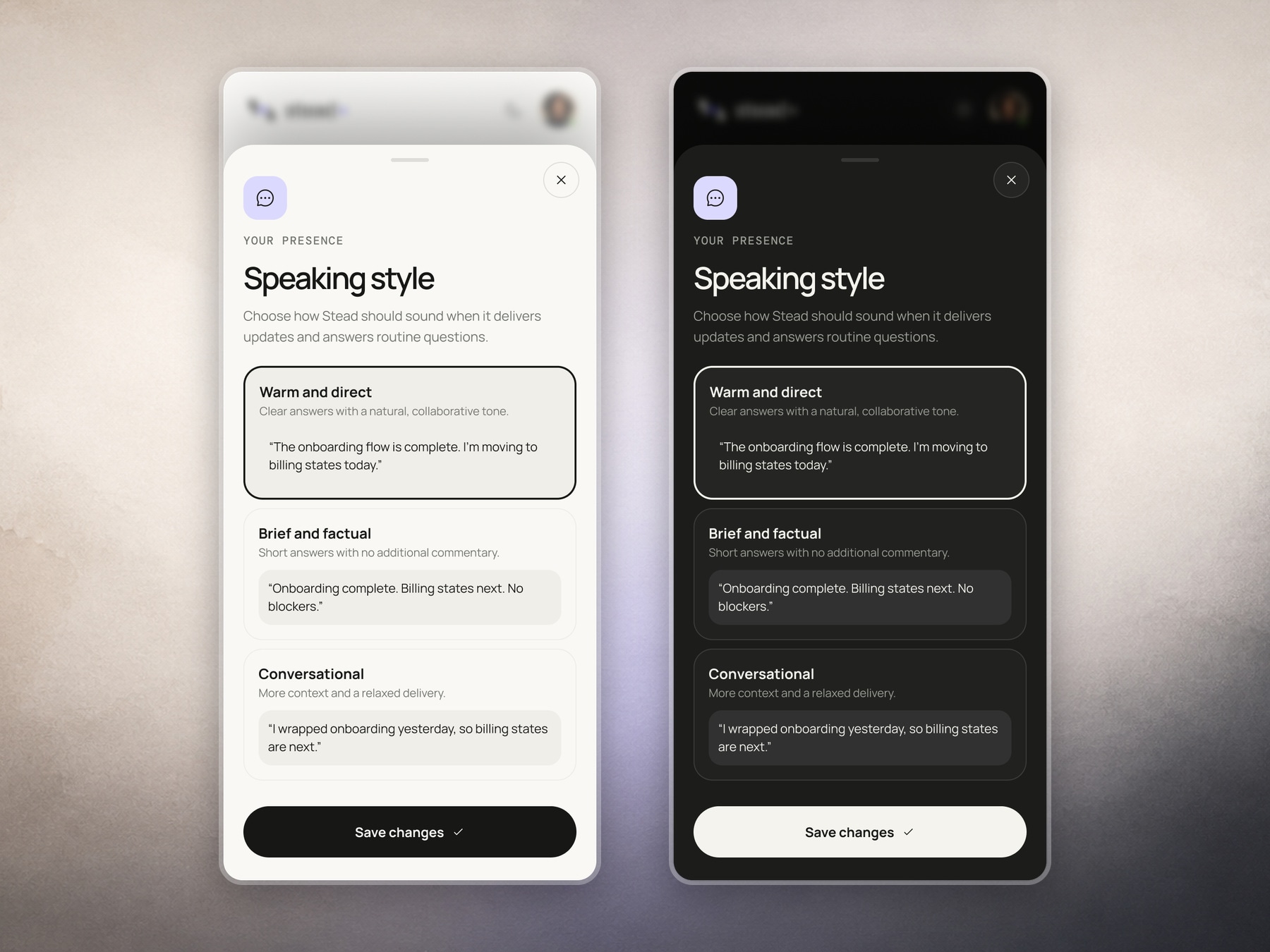
Letting users shape how Stead sounds
Speaking style lets the user choose how the same update should sound. Each option includes a real example, so the differences between warm, factual and conversational are easy to understand before saving.
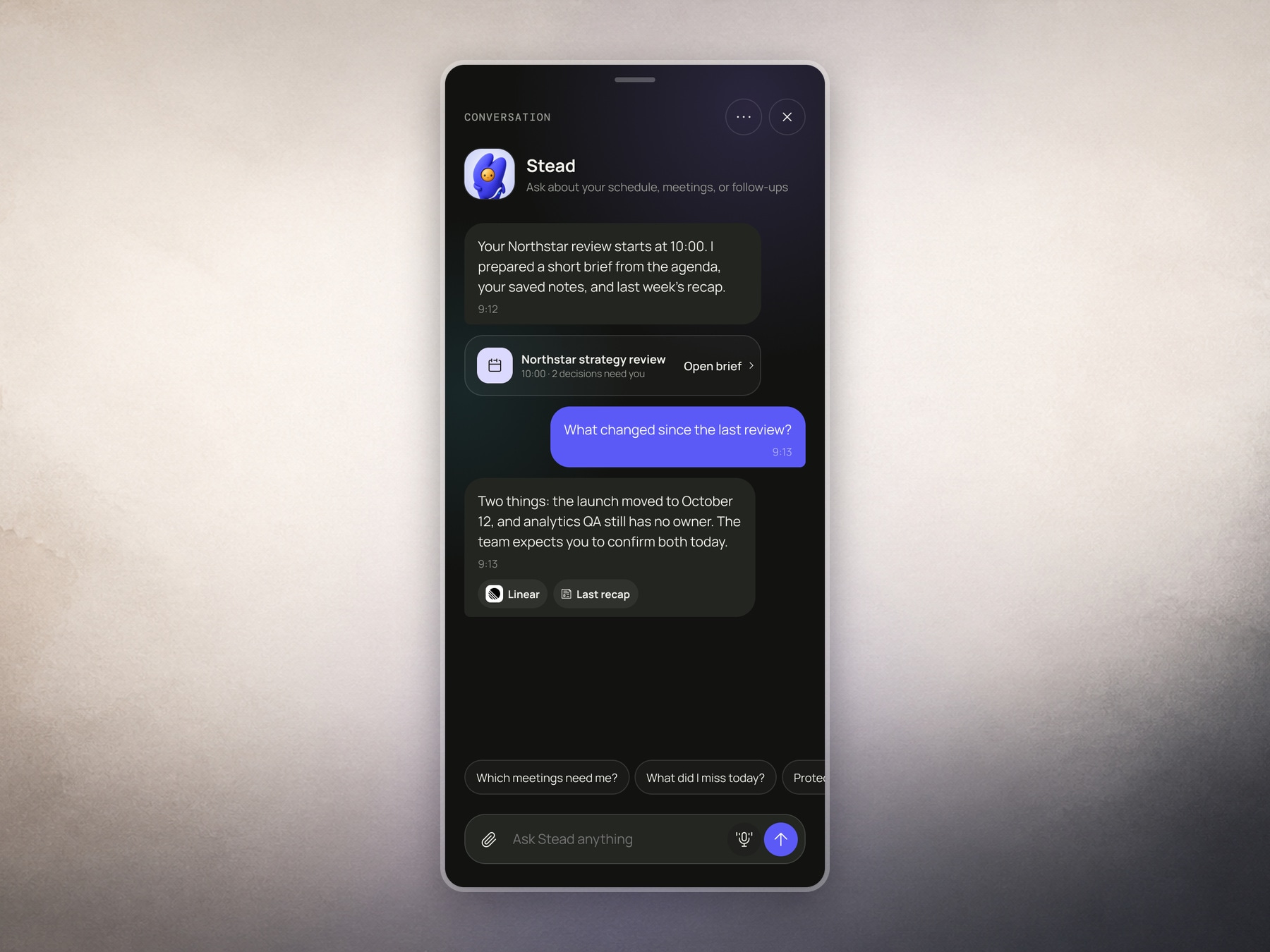
Asking questions with the source still visible
The conversation view lets users ask about schedules, meetings and follow-ups. Answers link back to sources such as Linear and the previous recap, so the user can see where the information came from.
Designing trust into delegation
Stead is built around a clear handoff between the person and the assistant. Before a meeting, the user can see what Stead knows, what it plans to say and where its boundaries are. Afterward, the product brings the outcome and follow-up back into the user's workflow.
The goal was not to make an assistant that appears fully autonomous. It was to make delegation feel understandable, reversible and useful, with the user staying in control of the decisions that still need them.