
Relay
Relay is a customer support workspace designed to help teams manage conversations, ownership and service performance in one calm, connected system.
The idea behind Relay
Support teams often work across busy queues where urgency, ownership and customer context are easy to lose. I designed Relay to make the next action clear without turning the workspace into a wall of alerts.
Designing for clarity
The interface uses a quiet monochrome foundation, generous spacing and focused colour cues. Status colours carry meaning, while borders and grouping create structure without relying on decorative shadows.
Core screens
Support overview
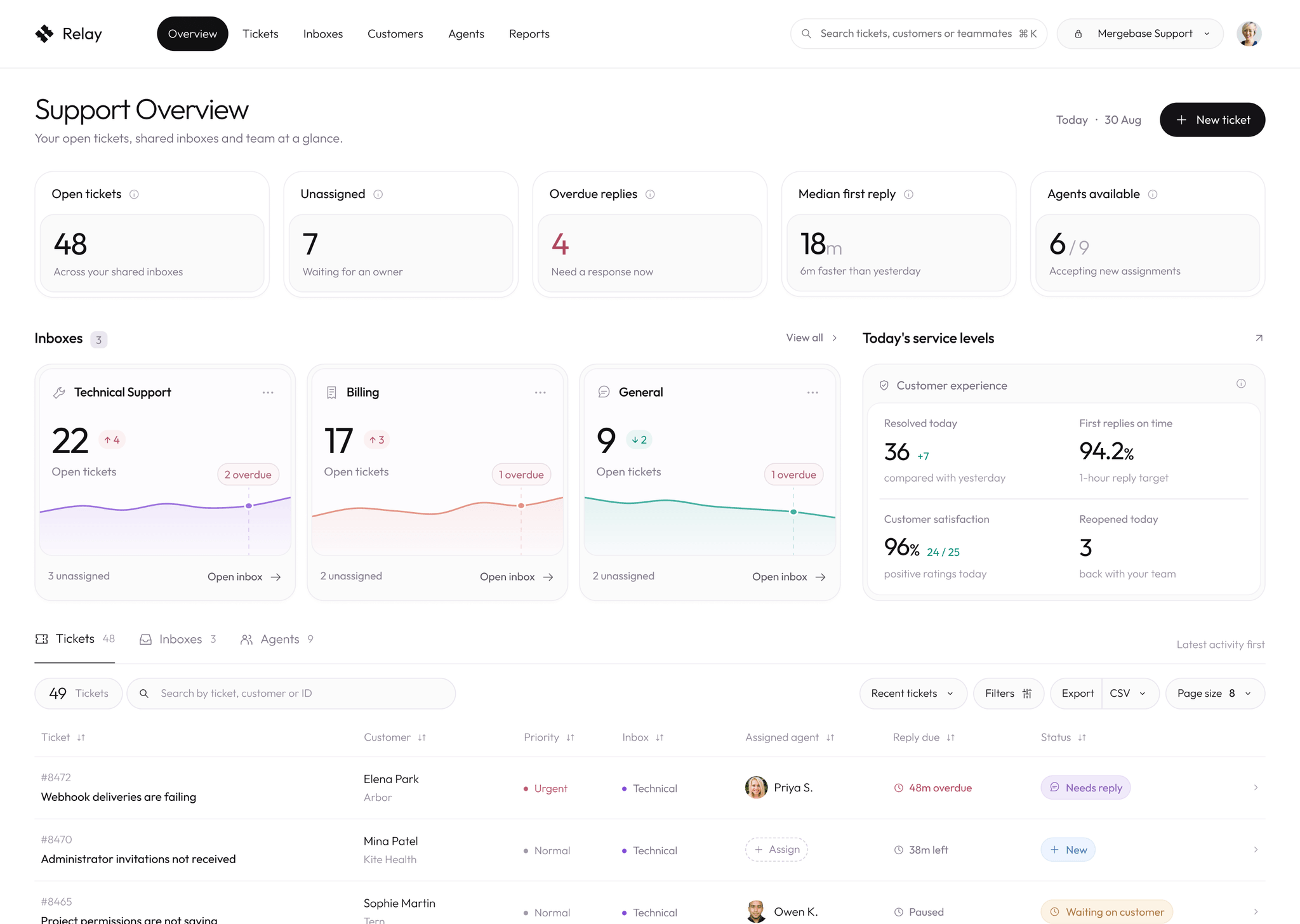
The overview brings open work, unassigned tickets, overdue replies, team availability and service levels into one place. It gives leads a quick read of the day before they move into the queue.
Fast search
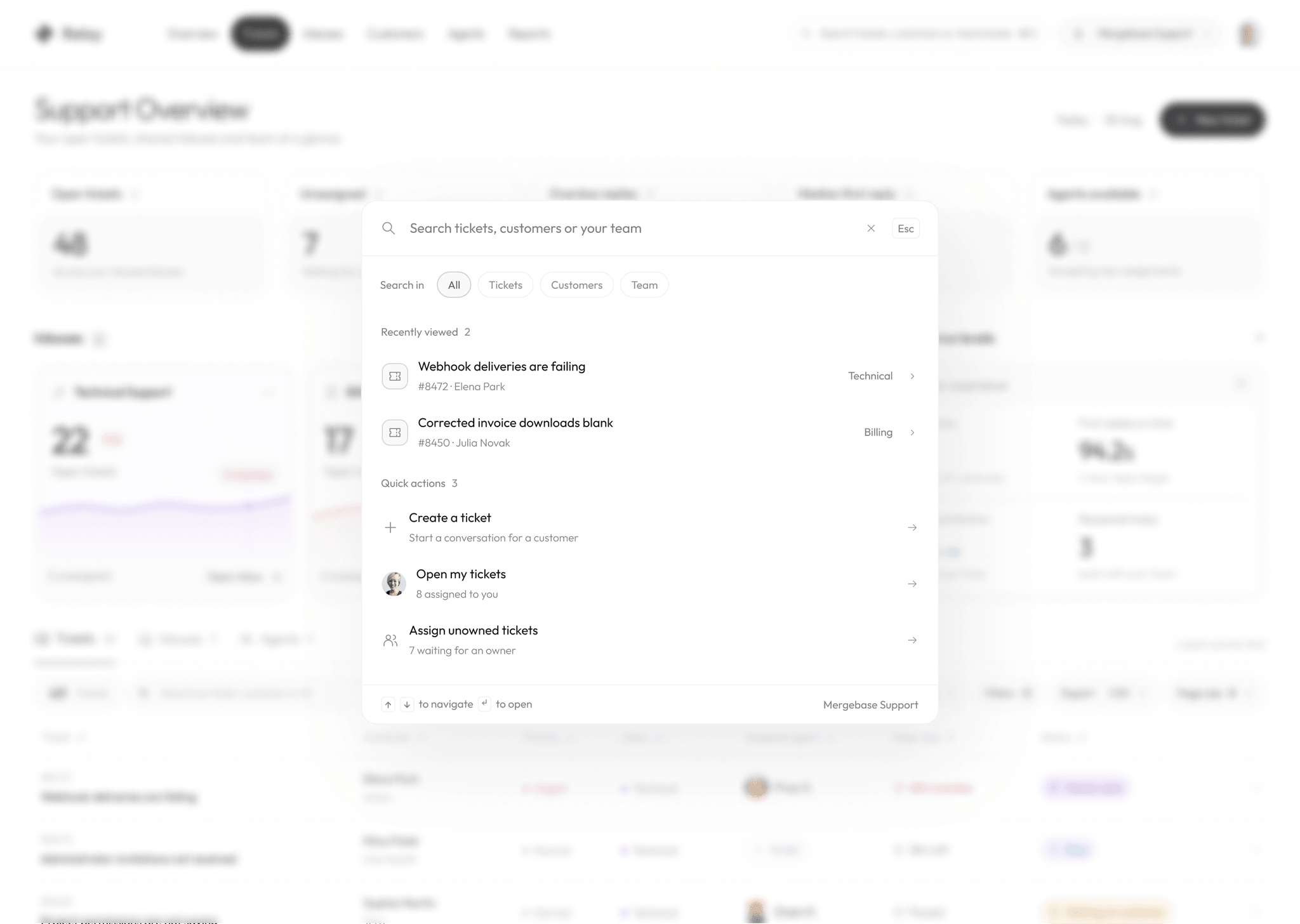
Global search keeps tickets, customers and teammates one shortcut away. Recent items and quick actions reduce the time spent navigating between sections.
Ticket triage
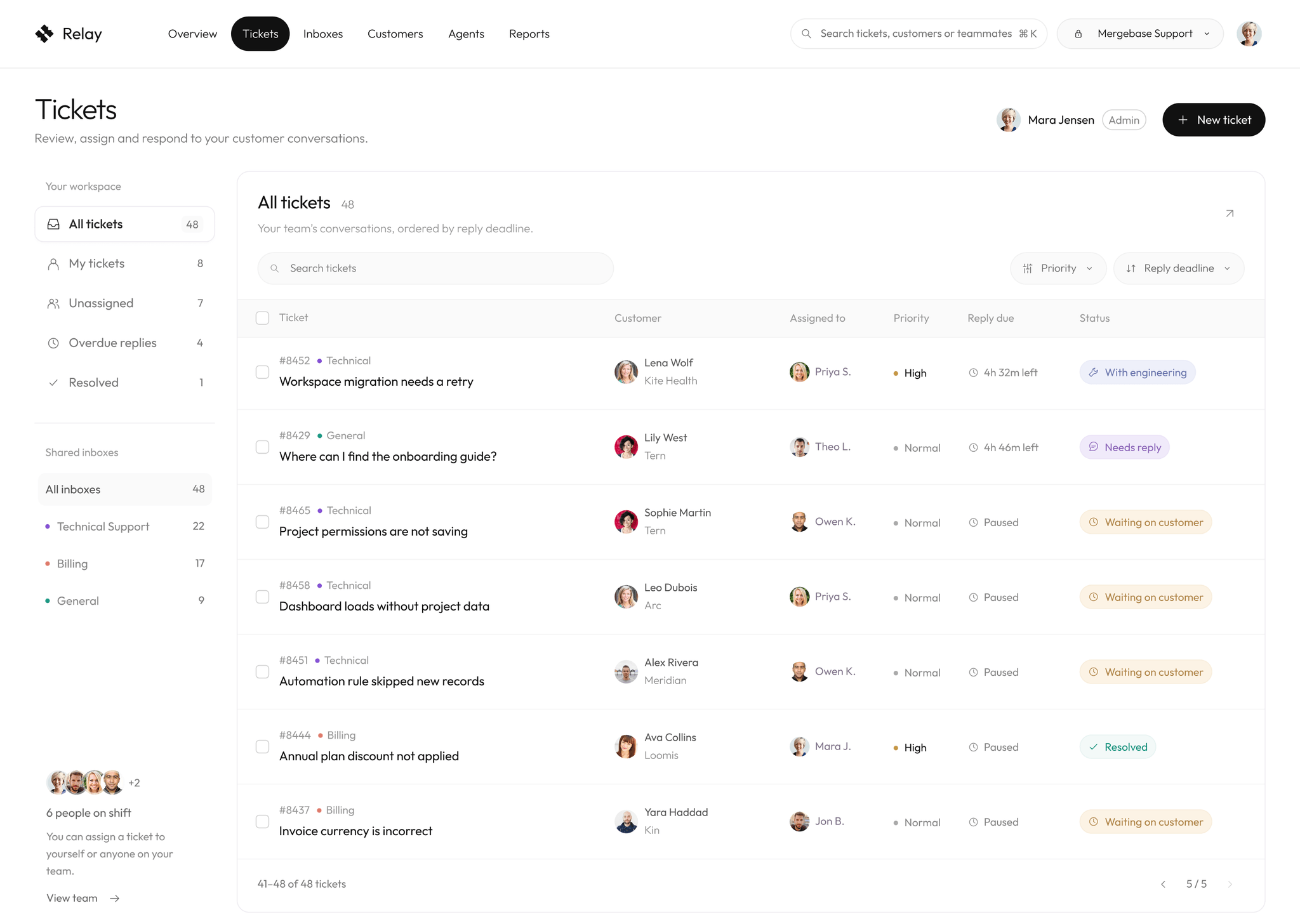
The ticket list is organised around reply deadlines, ownership and status. Filters stay close to the table so the team can narrow the queue without losing context.
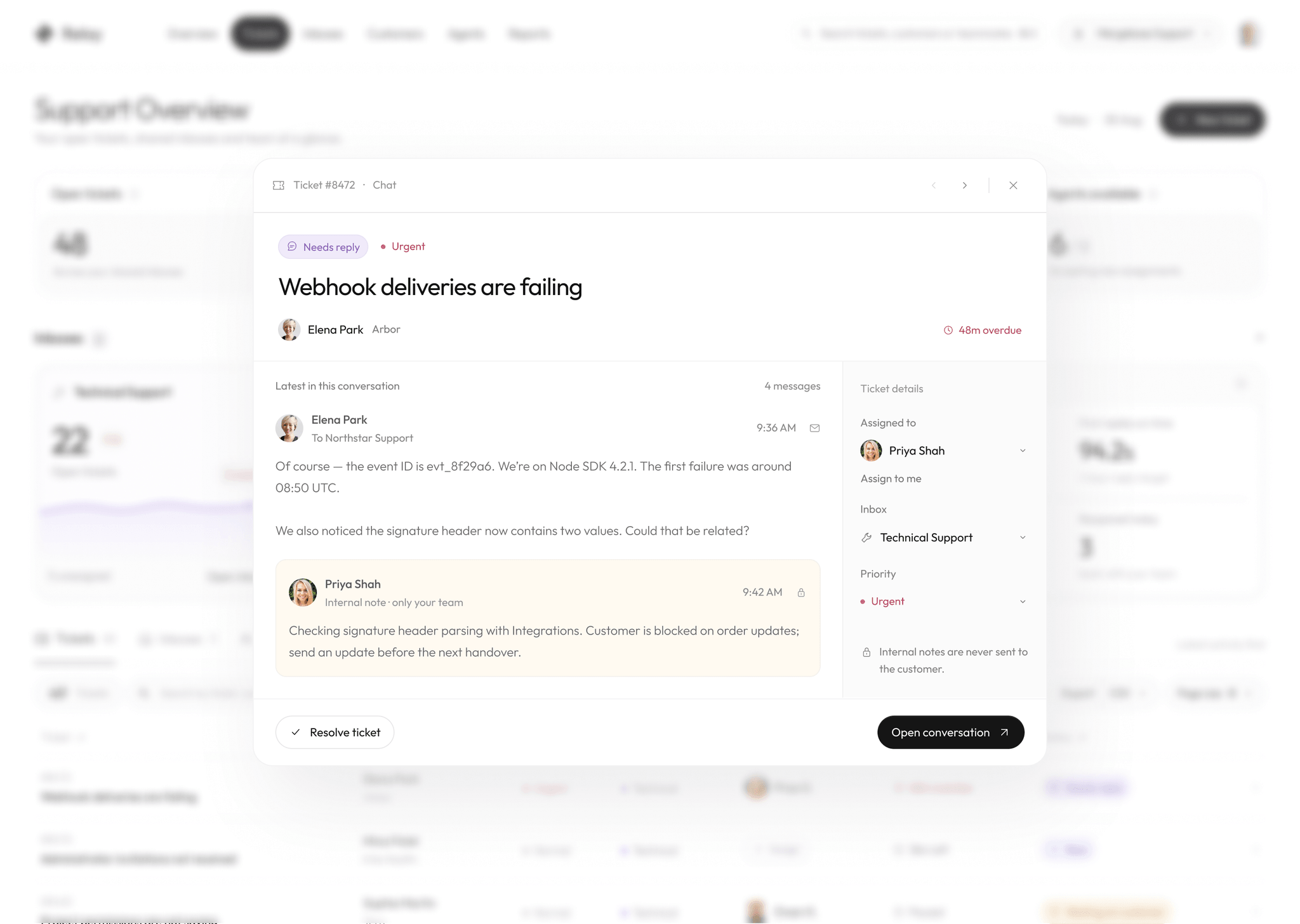
A focused preview supports quick decisions from the queue. The most important conversation and assignment details stay visible while the background remains recognisable.
Working a conversation
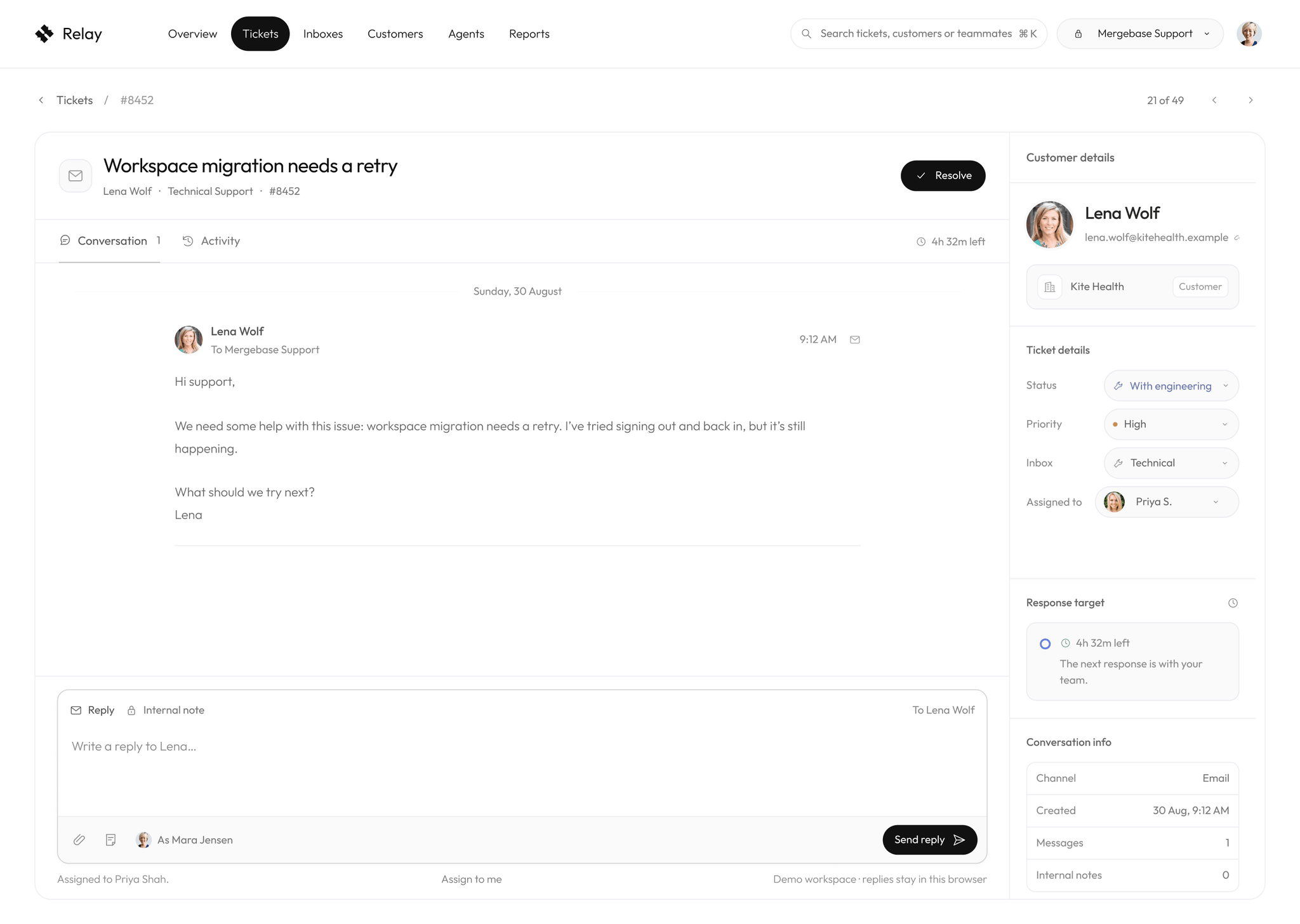
The full ticket view gives the conversation room to breathe and keeps customer, status, priority and response targets within reach. The composer stays anchored for a direct path from reading to replying.
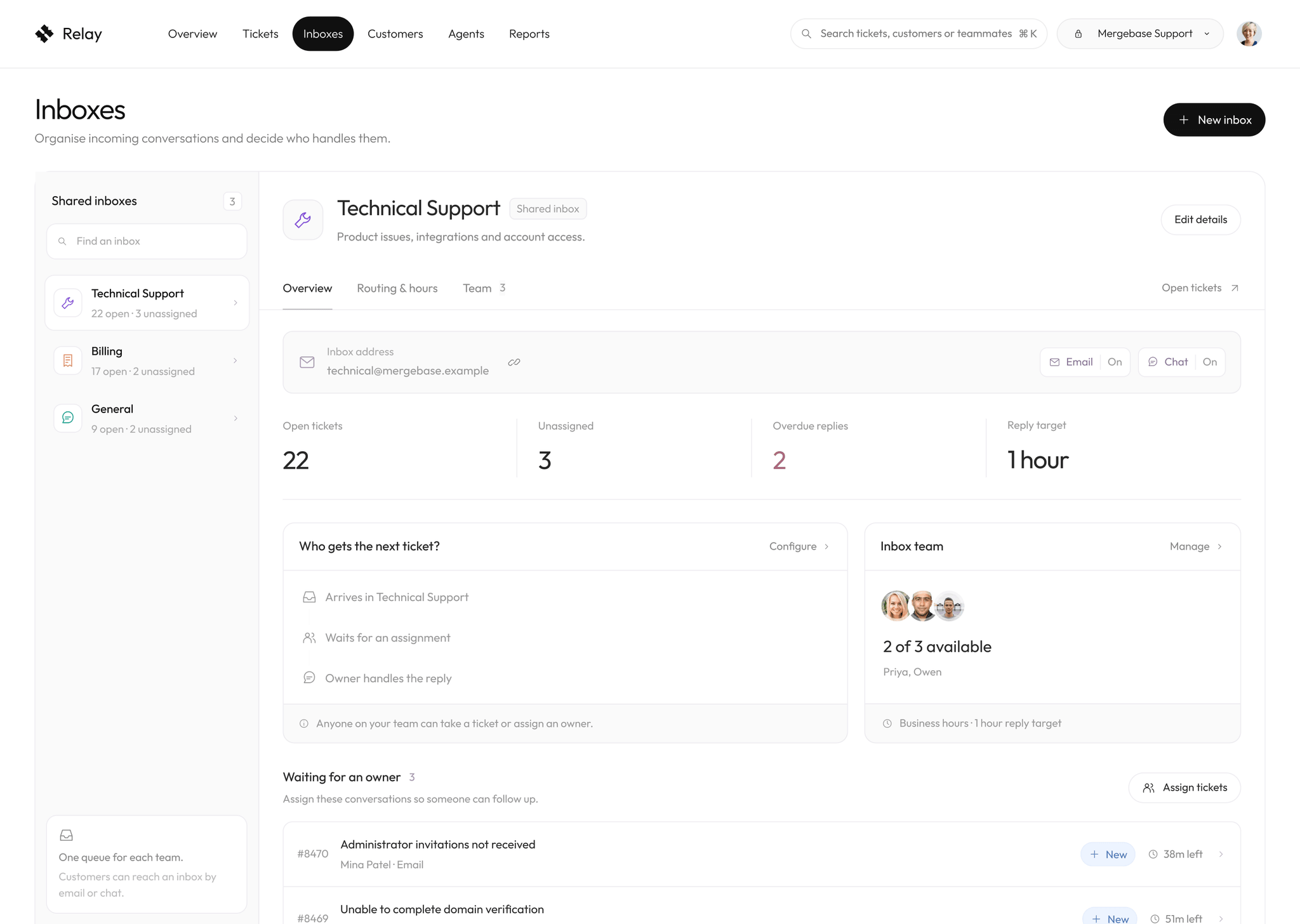
Shared inboxes
Each inbox has a clear purpose, team and routing setup. Health metrics and unassigned work are visible before a lead opens the full queue.
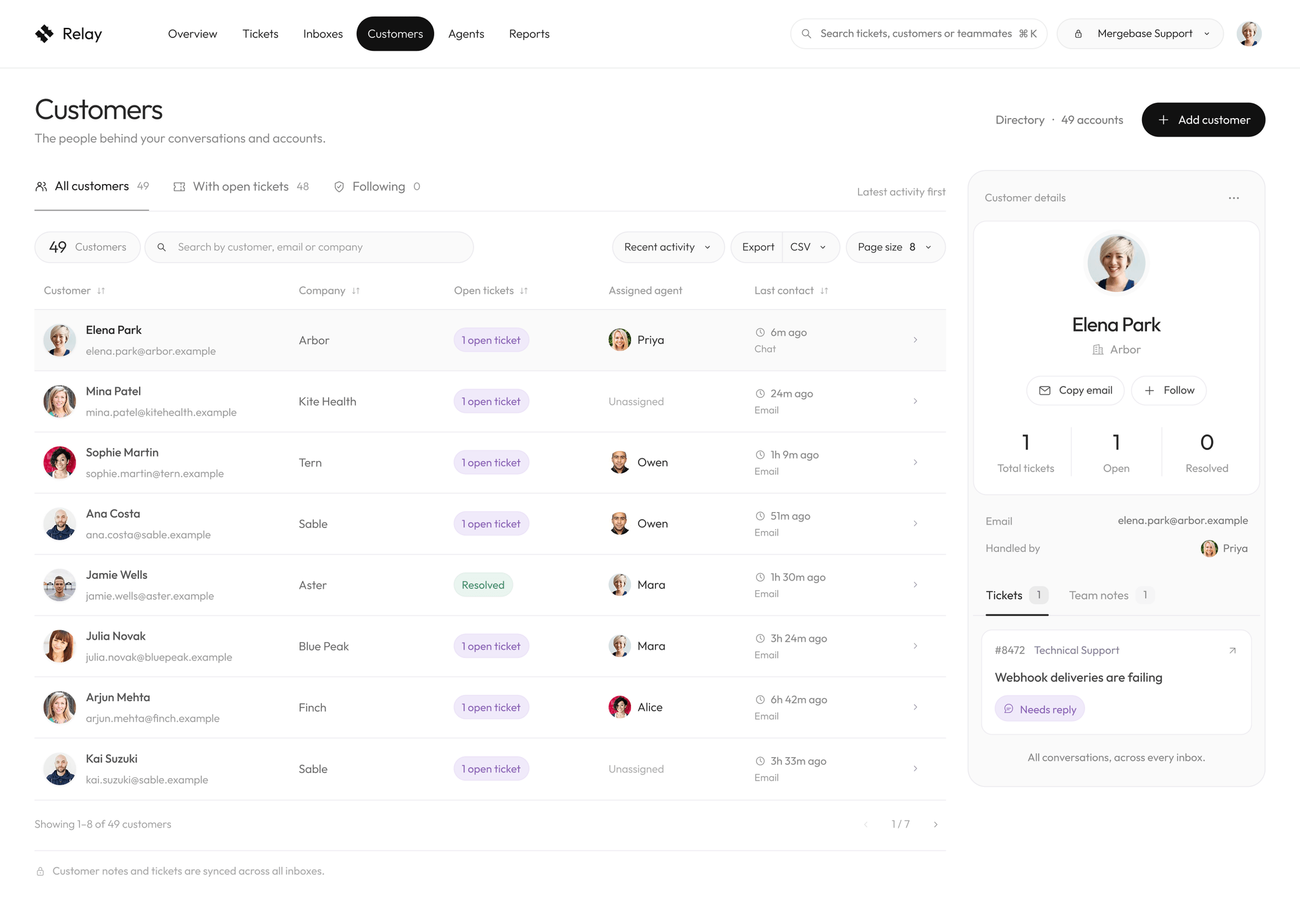
Customer context
The customer directory connects people, companies, open tickets and assigned agents. A side panel reveals useful detail without interrupting the list.
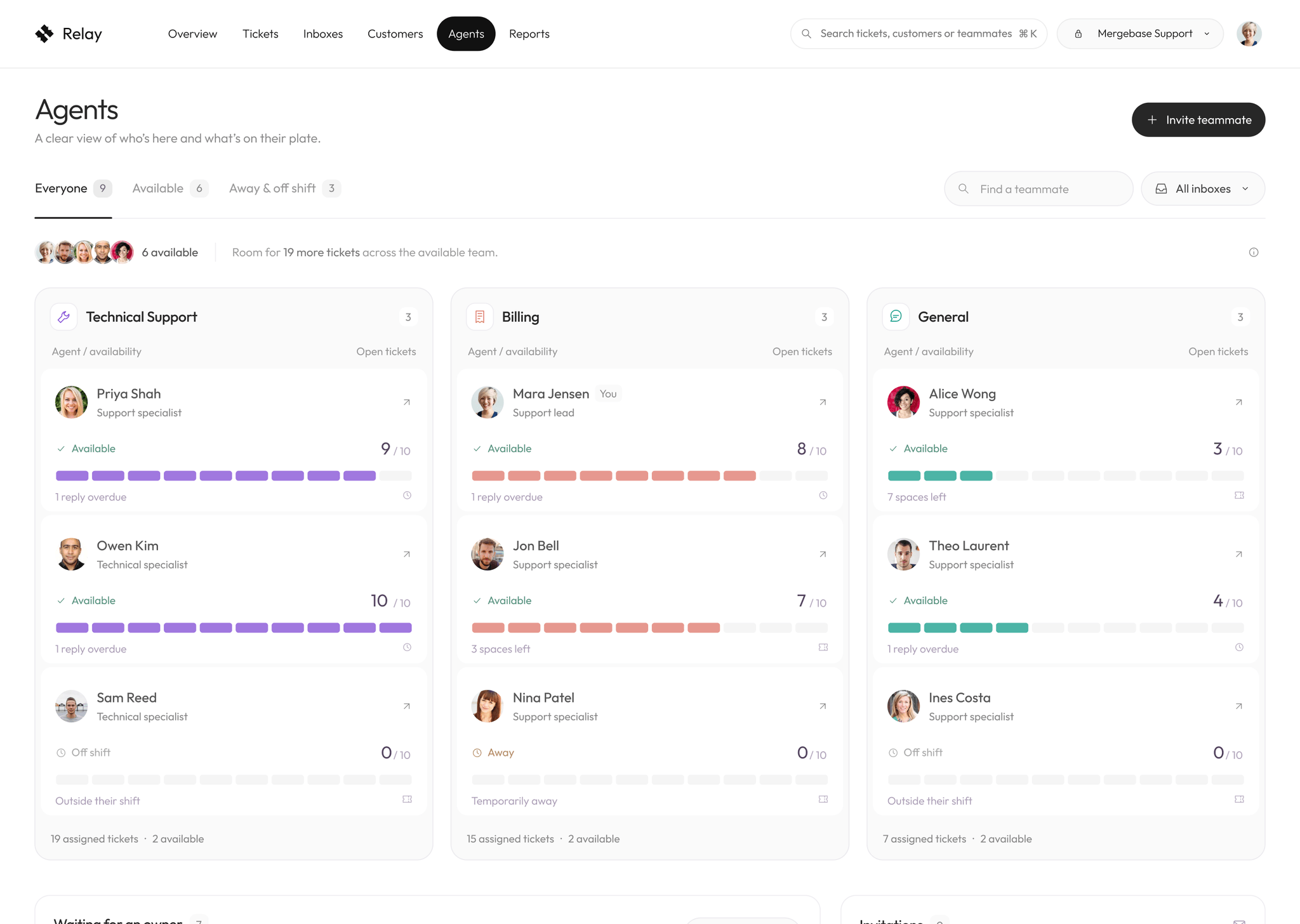
Team capacity
The agent view turns workload into something visible. Availability, assigned tickets and remaining capacity help leads distribute work with more confidence.
Reporting without the noise
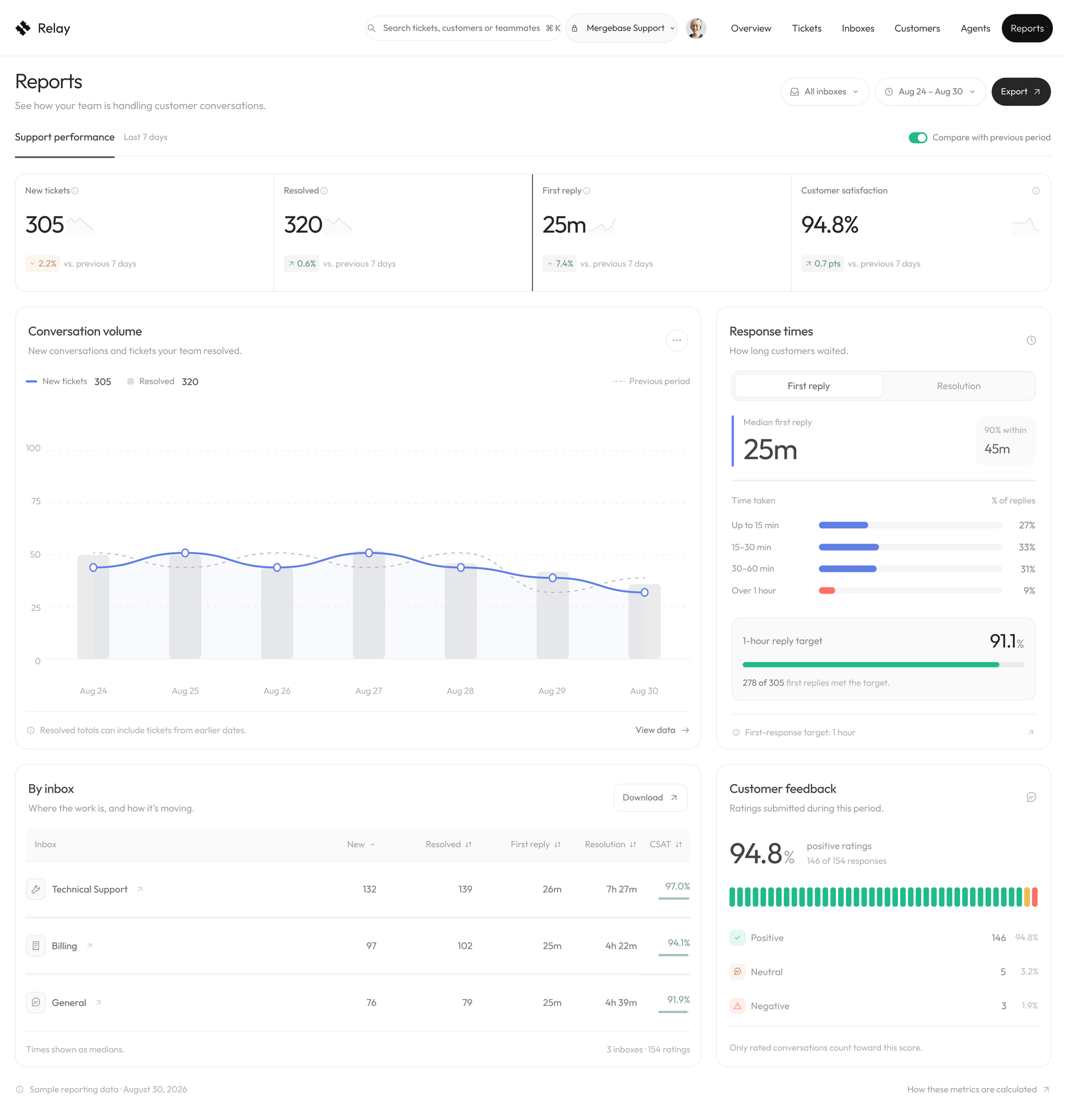
Reports connect volume, response time and satisfaction without overwhelming the page. The layout moves from headline metrics to the details behind them.
The result
Relay brings daily support work into one coherent product. The system feels calm, but it still makes urgency, ownership and performance impossible to miss.